
Docs · Release notes
8.2 - Release Notes
Version 8.2 is a small release which contains mostly app focused changes, with new components and improvements to the translations feature that originally launched in version 7.10.
What's New
Apps
There are a series of new components released with 8.2 that should make building dashboards and charts much easier. There is also an improvement to the translations feature for multilingual apps, making it quicker than ever to make an app international!
Material Chart Components
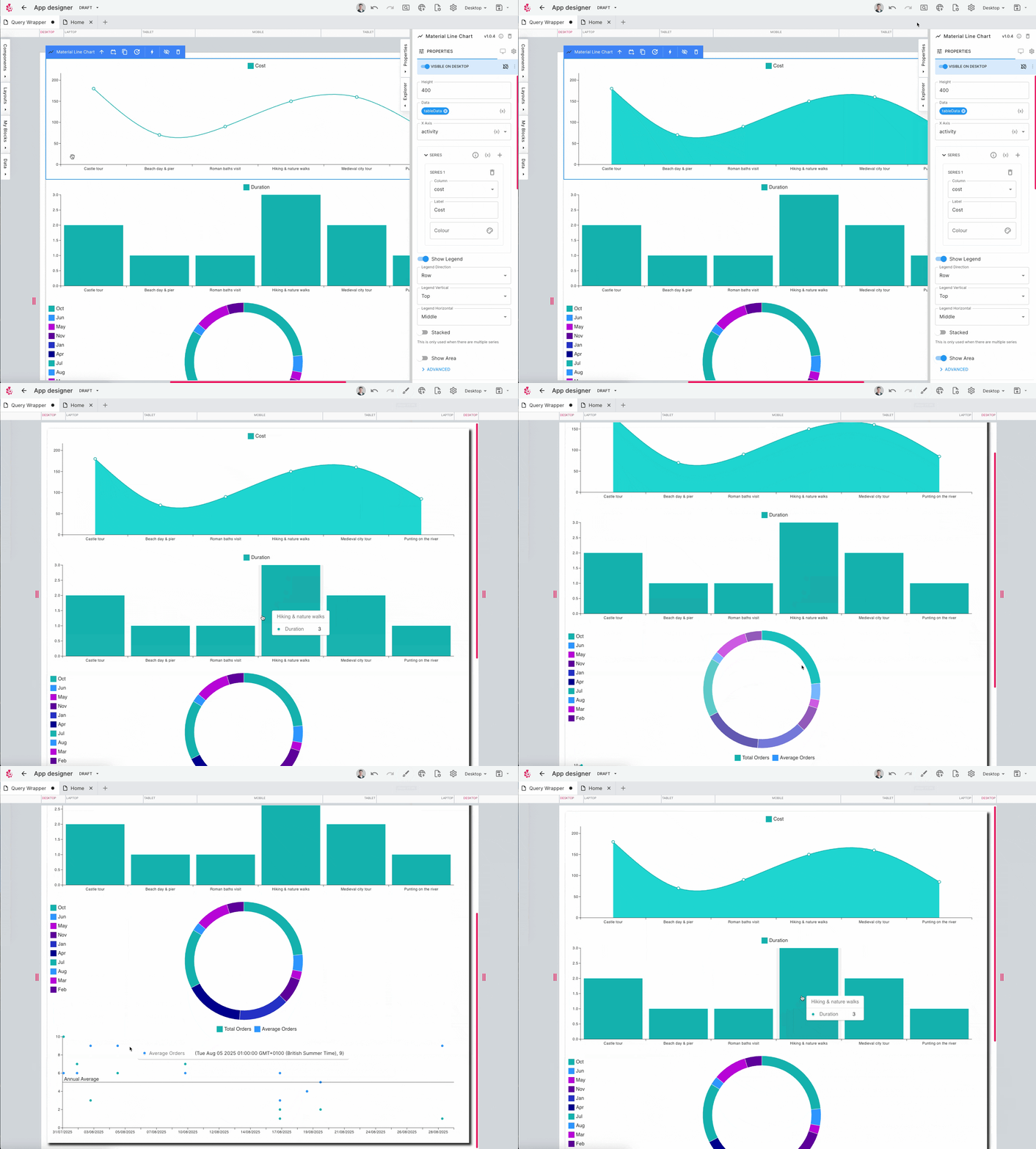
Four new chart components have been added to compliment the existing chart components. These chart components are built on top of the Material UI chart library, and offer plenty of customisation so you can make the charts look exactly as you want.
One of the key differences between these new Material charts and the existing Apex charts is the format the data is expected in. In the material charts it is expecting a column for each series:
| Quarter | Company A | Company B |
|---|---|---|
| Q1 | 200 | 400 |
| Q2 | 150 | 420 |
| Q3 | 600 | 138 |
| Q4 | 100 | 260 |
Whereas, the Apex chart components would expect the same data in the following format:
| Quarter | Data | Series |
|---|---|---|
| Q1 | 200 | Company A |
| Q1 | 400 | Company B |
| Q2 | 150 | Company A |
| Q2 | 420 | Company B |
| Q3 | 600 | Company A |
| Q3 | 138 | Company B |
| Q4 | 100 | Company A |
| Q4 | 260 | Company B |
This means the Material charts don't require quite as much wrangling of the data before it is usable. Stylistically, the Material charts look different to the Apex charts too, so which charts you choose will likely be down to which ones look better when placed in your app.
Material Bar Chart
The new Material Bar Chart allows you to display multiple series against a common X-axis, either vertically or horizontally. You can also add static reference lines to the chart as well as stack the data when plotting multiple series.
Material Line Chart
The Material Line Chart let's you plot a multi-series line chart and you can customise the type of line:
- Linear
- Step
- Natural
- And more!
You can also fill in the area underneath the line if you want, to highlight the area covered by the data points.
Material Pie Chart
The Material Pie Chart is mainly for plotting a single series of data, but you can plot multiple series of data on this pie chart with each additional series appearing as an extra ring around the pie chart representing each series.
Material Scatter Chart
The scatter chart is very similar to the line chart, just without the lines! You can plot multiple series on this chart as well as adding reference lines.
Query Wrapper Component
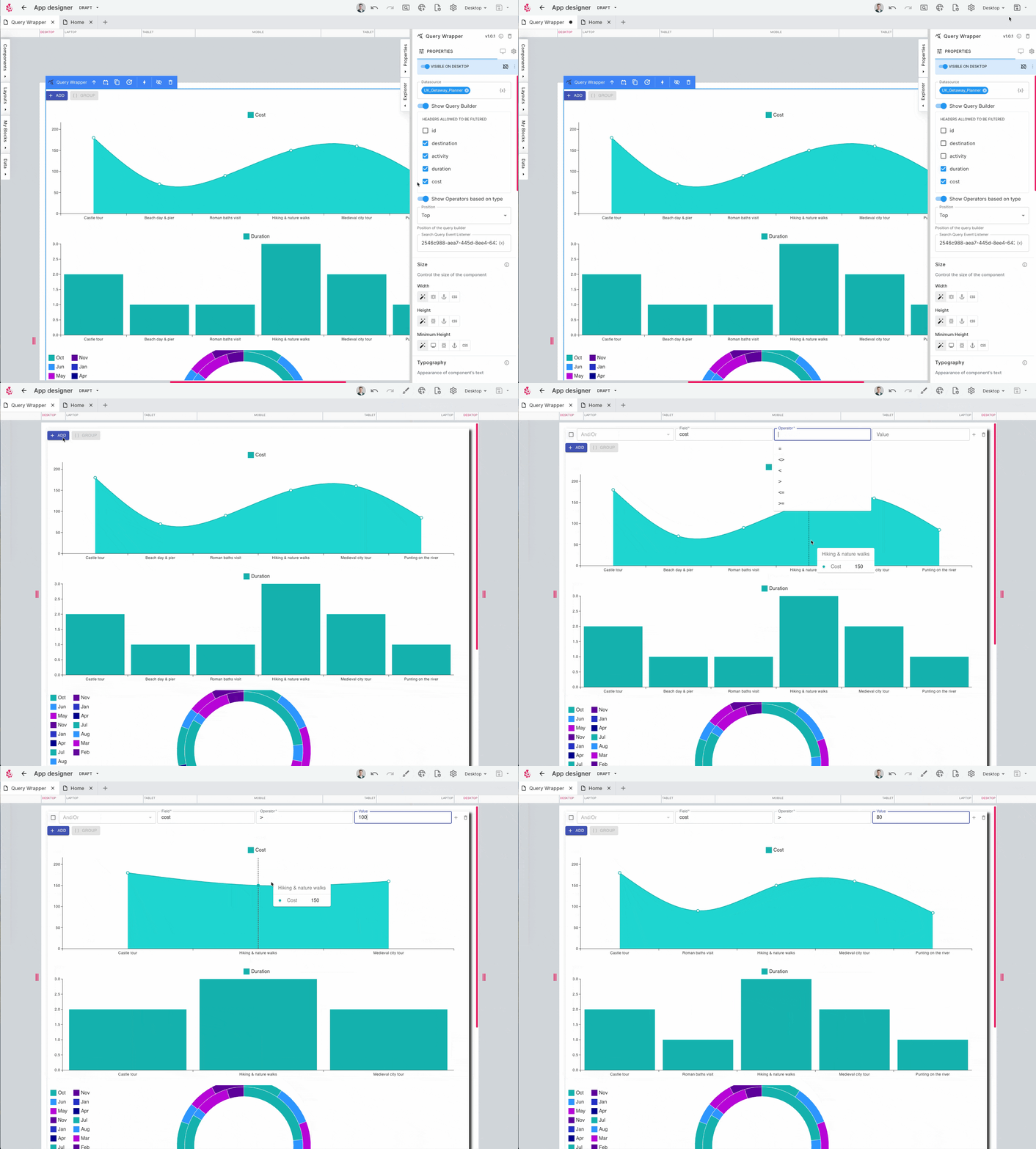
The Query Wrapper component is a new layout component that takes a datasource, usually a Table or View, and will return that data as context which is available for any of the child components placed inside the Query Wrapper. This would allow you to create a dashboard where the charts and tables are all nested inside a single Query Wrapper and then if the query changes or the underlying data changes, all the child components update at once. The query wrapper also allows you to expose a query interface to your app users so they can manipulate their own queries!
The Query Wrapper is very similar to a Dynamic Data Wrapper but where the latter returns only one row of data as context, the former can return many rows which are then available to all child components.
Automated AI Translations
In version 7.10, we released the translations feature, a utility that made it easy to turn your app multilingual but the initial release required users to manually upload the translations. You can now use the inbuilt AI to automate the generation of the translations, meaning all you have to do is check them over to make sure they look right. For a list of all the languages supported by this feature, please see the languages documentation.
Automation
There have been no new features or changes to Automation in version 8.2.
General
There are no general changes to the platform in version 8.2.
Bug Fixes
A number of bug fixes were included in this release across the platform.
Contact <support@toca.io> for a full list of bug fixes included within this release.
Deprecated
Nothing has been deprecated in this release.