Docs · Guide
Hello, Toca!
Now that you've set up your profile, let's take a quick tour of Toca.
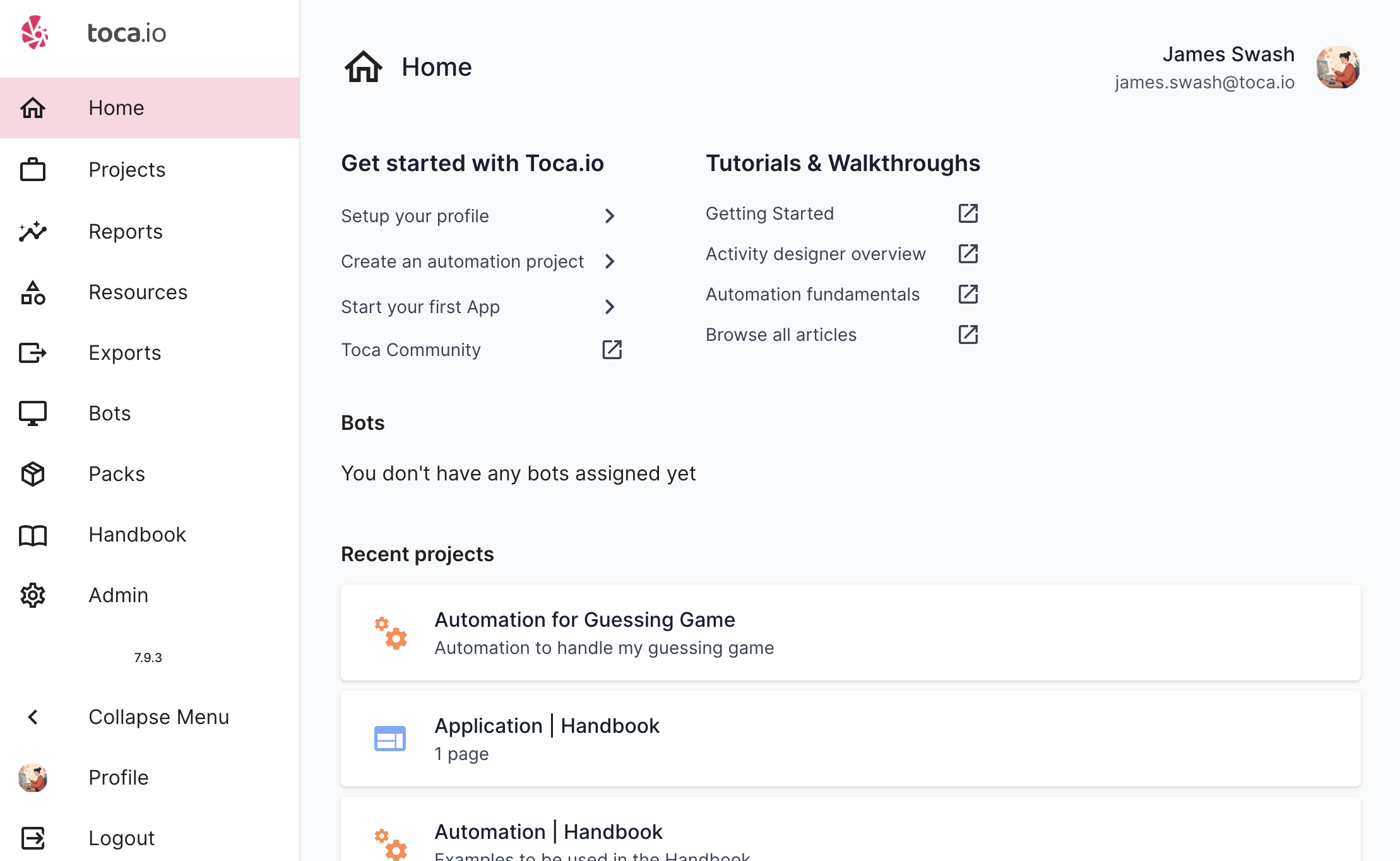
You can make your way around Toca through the Navbar that is always on the left hand side of the application. From here, you can navigate to the following places:
- Home: A view of your recently accessed projects, and your online Bots
- Projects: Where you can create and view all your Automation and App projects
- Reports: You can find all the reports of your automation that has run
- Resources: A quick view into your Datastores, Listeners and Content Management Systems
- Exports: A place you can view and download any of your Projects that you've exported
- Bots: A quick view of the Bots that you have access to, including their status
- Pack Manager: A place you can browse new components that can be installed on your Toca platform
- Handbook: You are here now!
- Admin: If you are an Admin user, you can manage and configure your Toca platform from here
Typically you'll spend most of your time in the Projects and Resources sections when you are developing new projects. Once you move on to testing or maintaining your projects, you'll find yourself spending more time in the Reports section as you'll be checking your Workflows are all running through as expected.