Docs · Projects
Components
Components are the most fundamental elements of your App projects.
To use a component simply expand the Components menu on the left side and drag in the component you want to use onto your page. Once the component is dragged onto the page, on the right side will appear the Properties of the component from where you can personalise it for your needs.
Here are some common types of components you can use to build your app:
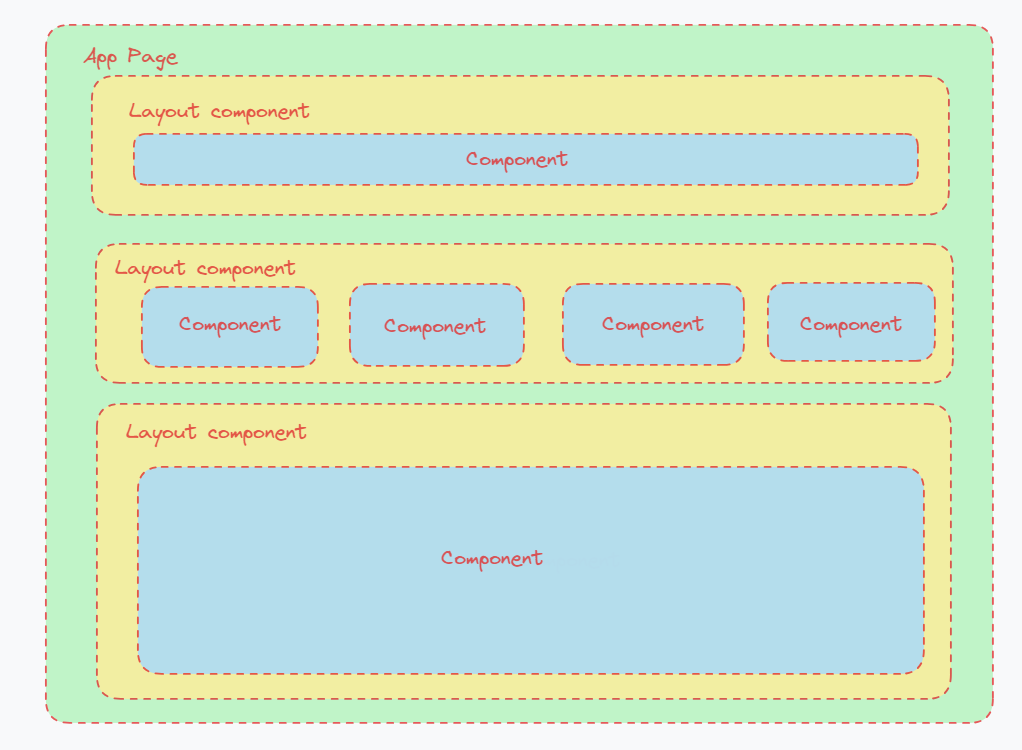
- Layout Components: Layout components define the structure and arrangement of user interface components within the app's screens. Examples include Flex Layout, Repeating Layout, Form Layout, and so on.
- User Interface Components: They are responsible for presenting information to the user and capturing user input. These include components such as Buttons, Text, Text field, Check box, Radio group, Progress, and so on.
- Navigation Components: Navigation components facilitate the movement between different screens or sections of the app. Examples include Tabs, Navbar, and Link button.
- Media Components: Media components handle multimedia content within the app, such as Images, YouTube, PDF Container, Markdown, etc.
- Apex Charts: Provides a variety of interactive chart types such as Line charts, Pie charts, Bar charts, and more. Users can interact with these charts by hovering over data points, zooming in/out, or toggling series visibility
You can add your favourite components in the Favourites group by holding ALT and clicking on a component.