Docs · Administration
Users & Teams
This area of the platform allows users with the Admin role to administrate other platform users. From here you can:
- Create new users
- Update existing users
- Change user permissions
- Update user passwords
- Disable and delete users
- Approve new platform users
- Create Teams of users
- Update Teams of users
- Disable and delete user teams
The users and teams which are managed from this area of the platform relate solely to users of the Toca platform, this has no impact on app users.
Users
Platform users can have their access to various parts of the platform controlled through Roles. This is different to sharing, Roles will override sharing.
| Role | Description |
|---|---|
| Developer | A low code developer, someone who can develop automation and apps on Toca (Recommended) |
| TDK Developer | A user who needs access to the Toca Development Kit to build new automation actions, app components and more |
| Administrator | A user who will be administering the Toca platform, controlling Bot allocation, user management and more |
Approval
If a user signs into the platform for the first time via Single-Sign-On and the platform Administrator requires users to be approved, then a user will sit in a hold state where all they can access is their own profile settings. They will remain here until a platform Administrator approves the user via the Approval tab on the Admin -> Users & Teams page.
Teams
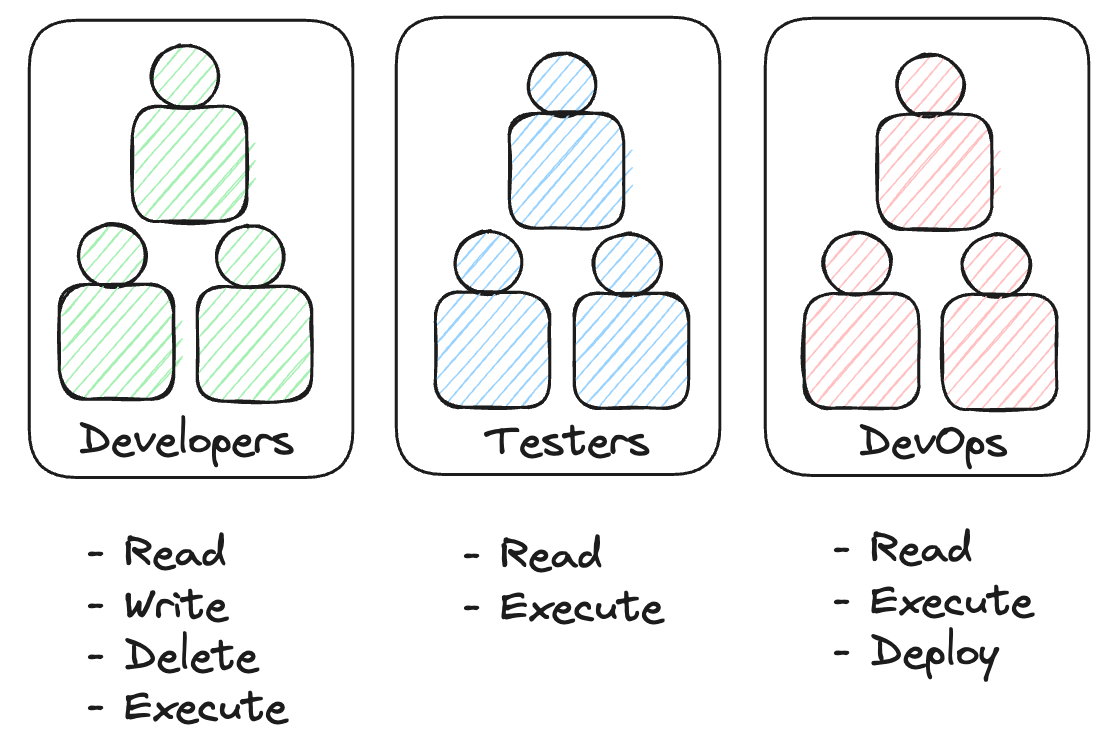
Teams are predominantly used in the sharing functionality, as this allows you to easily share projects, apps and resources with many users at once.
Imagine you are building a project and you want to give all the developers working on your project Read, Write and Execute permissions. You might then create a Test team containing testers and they might only have Read and Execute permissions. By grouping the users into "Developers" and "Testers" teams you can easily share the right entities with them quickly and efficiently.