
Docs · Projects
Columns
A column is a vertical entity within a table that stores data of a specific type. Each column has a name, a data type, and optionally, constraints.
Column types are specified to ensure only data of a specific type (String, Number, ...) can be inserted into the cell.
General
Label
The text users will see as the header of the column.
Name
The value used for the column name stored in the database. This value is used for query operations. As this value is used in queries, not the labels, it is essential these names make sense.
Autopopulated by default by the sanitized string in Label. The name cannot have spaces or special characters (replaced with underscores) and must start with a lowercase letter or underscore.
Type
The Data Type to be used in the system.
Multiline
Stringonly.
Whether the text field is allowed to display newlines and dictates whether the Enter key will produce a new line.
Default Value
Excluding
Tabletypes.
The Set Default Value flag can be set to allow a Default Value if one is not provided.
It is not recommended both enabling default values and specifying Cannot be NULL at the same time as this may cause data entry issues due to validation.
Constraints
Constraints are custom alterations to a column to tailor the data to your needs.
Database Data Type
Stringonly.
The underlying Database Data Type to be used in the database storage.
Getting the Database Data Type correct for querable/joining columns is essential for an efficient automation.
Auto Increment
Numberonly.
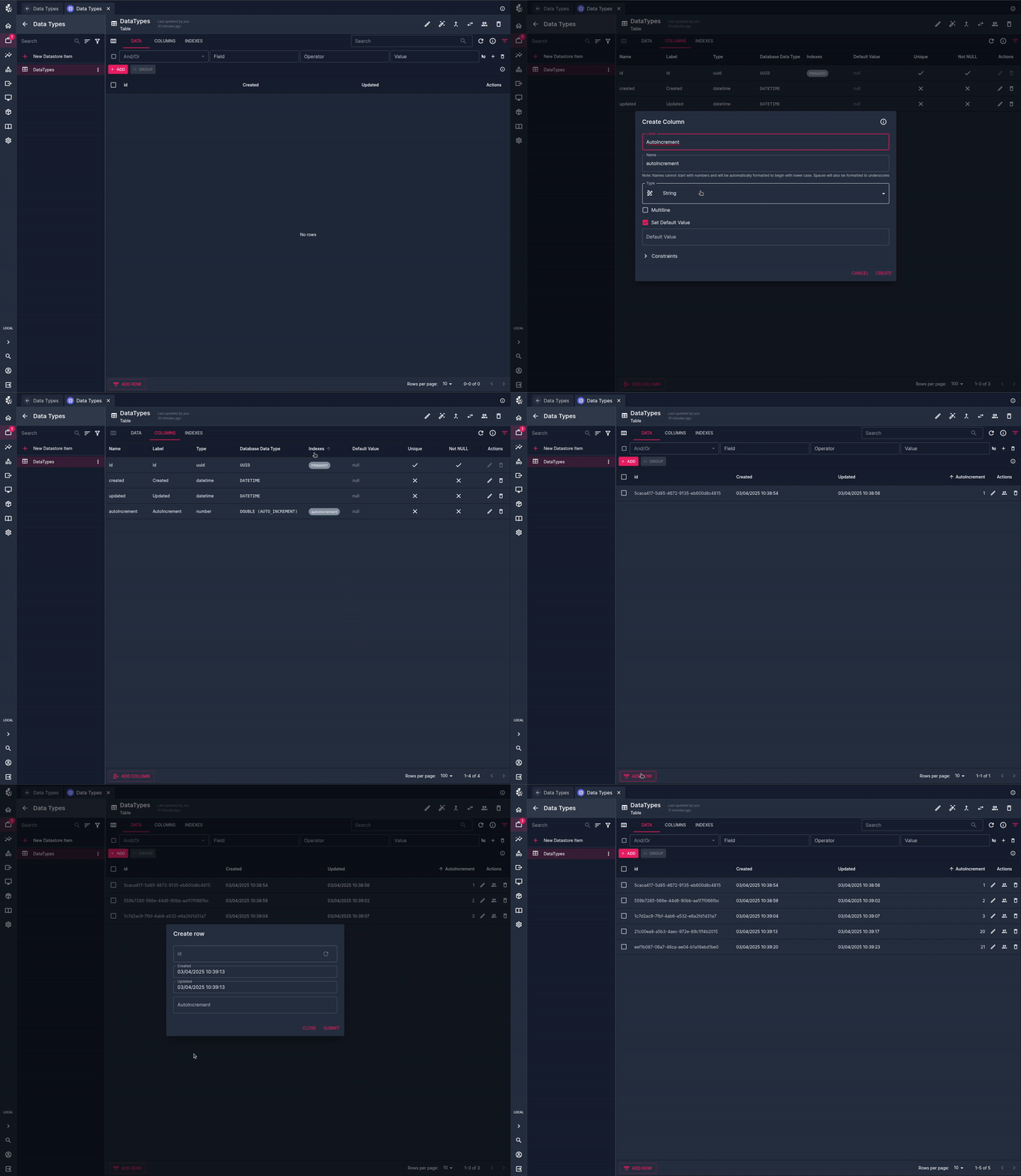
Enabling this flag will increment the number for each new row inserted. The incremental number is taken from the highest value inserted so far.
Example:
Three records are added. The values of this column for each row would be 1, 2, 3 respectively.
If a user adds another row, manually setting the value to 20, subsequent additions would start from the increment of 21.
Unique
Excluding
TEXTandLONGTEXT.
Enabling this flag will ensure that data in any row for this column can only be present once. Attempting to enter the same value into another row for this column will result in an error being thrown.
An Index is created behind the scenes to allow for this functionality. The created index cannot be deleted from the Indexes tab, it must be removed by unchecking this flag in the Update Column modal.
Cannot be NULL
Enabling this flag will ensure there must be a value present upon insertion/updating.
It is not recommended both enabling default values and specifying a Default Value at the same time as this may cause data entry issues due to validation.
Note that an empty string is not the same as
NULLand will still be valid in this condition.
On Delete Operation
Table Relationonly.
The Delete Operation to take place when a row is deleted for the values of this column.