Docs · Projects
Pages
Pages in a web app are structured documents that are identified by a distinct URL. A web app is typically made up of many pages that are linked together under a single domain (or app slug).
There are two types of pages in Toca apps and which one you use will depend on what content you want to display on it.
Static Page
A page where the content by and large remains the same, such as a home page, login page or Contact Us page. The opposite of this is a dynamic page and this is more useful when you want to repeat a page's design but for different data.
Dynamic Page
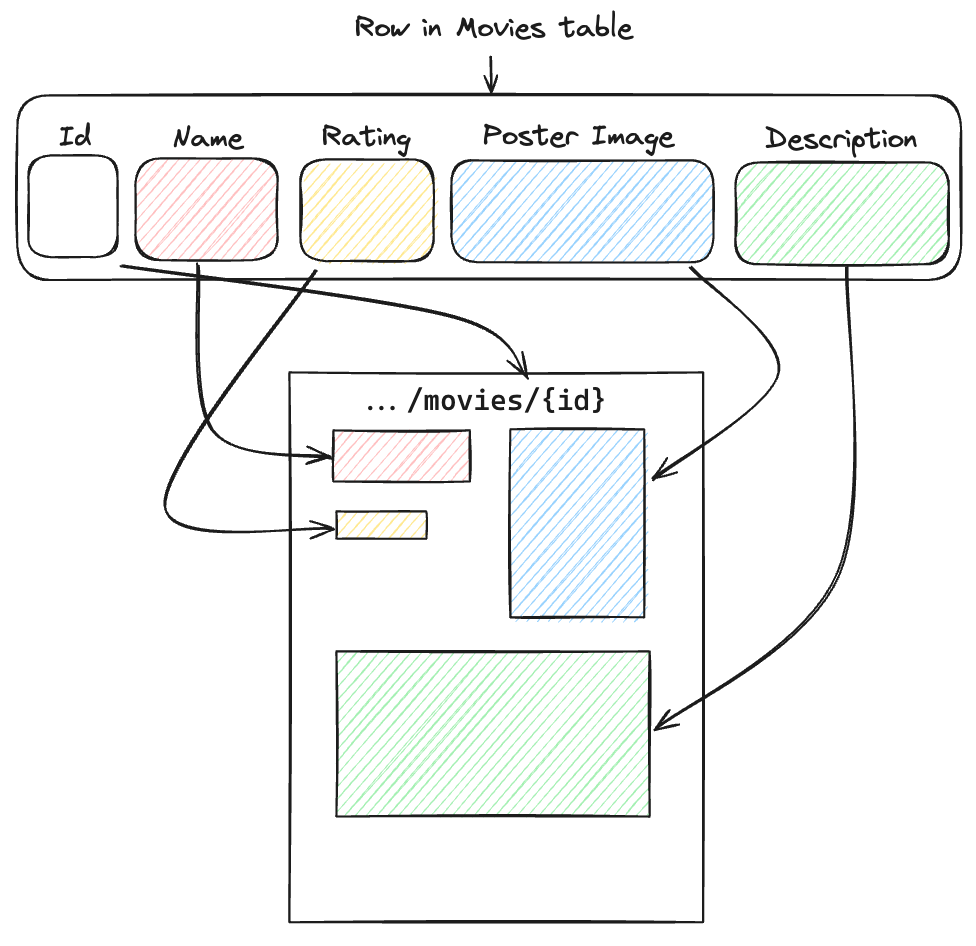
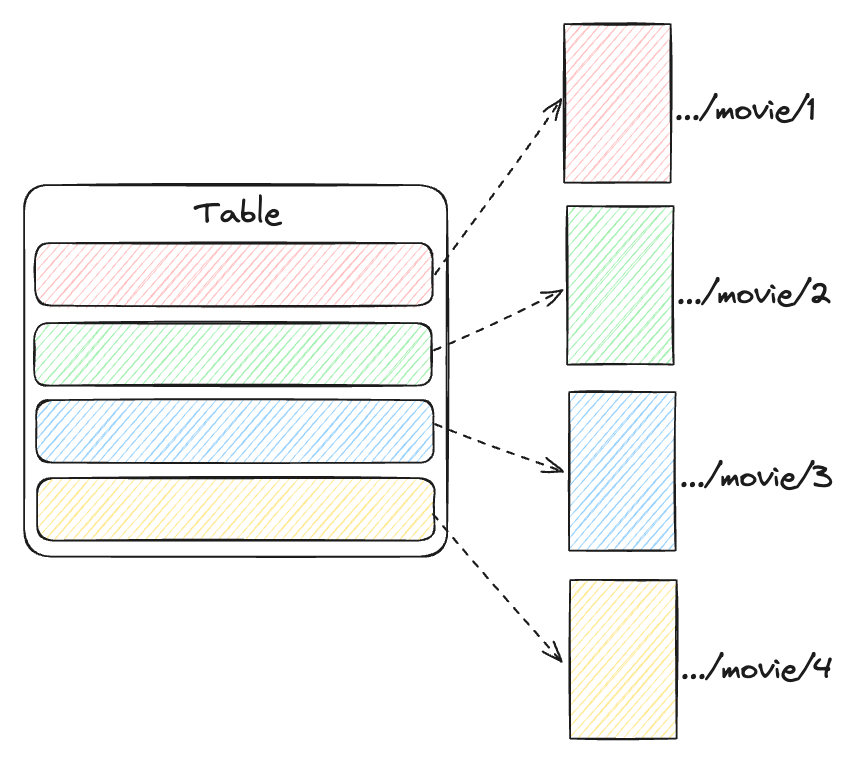
A dynamic page is a page that is driven by data from a datasource such as a table in a datastore. It allows for a design to be implemented and then repeated for every row of data in the datasource.
Dynamic Pages support both Tables and CMS Types as data sources.
The data from the data source is available to each component and app action on the dynamic page through the Context object.
Dynamic Page Context
When you are editing app components and app actions within a Dynamic Page, you will notice that whenever you go to select a datachip, there is a new tab available to select data from called Context. The Context available is the data coming from the data source that is driving the Dynamic Page, so if you had selected a table as your data source for the Dynamic Page then the Context object represents the current row, therefore giving you access to the data within each column of the row.
Data Sources
There are two types of data source which are supported in a dynamic page:
- Table - Each page produced by the dynamic page represents a single row of data
- CMS Type - Each page produced by the dynamic page represents a single content entry