
Docs · Administration
Bot pools
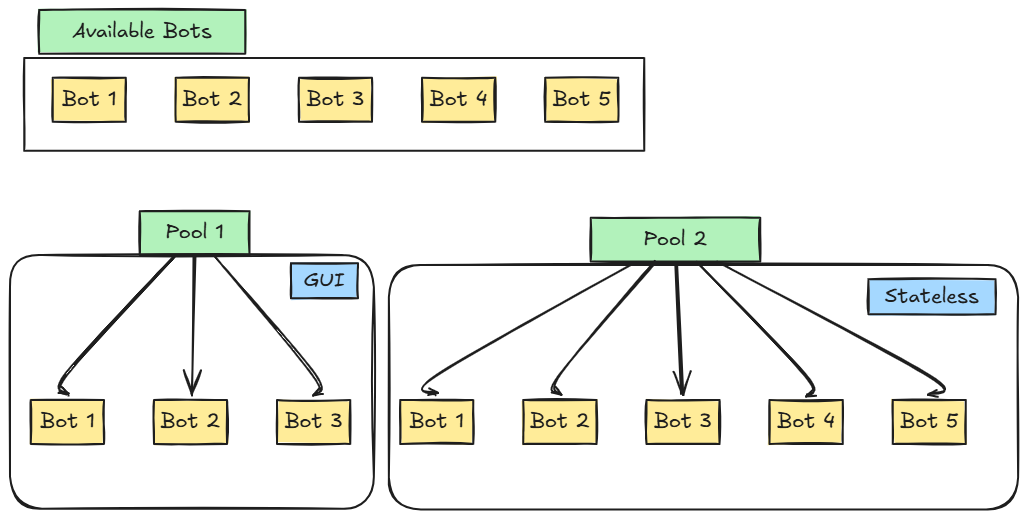
Bot pools group together multiple bots within a single pool object. Activities can use these pools instead of specific bots. Bot pools behave as load balancers, spreading the load between available bots even when running multiple instances of the same workflow concurrently.
You can control which bots are in which pools, allowing you to segment your bots in whatever ways you see fit.
Creating bot pools
You can add new bot pools via the BOT POOLS tab on the Bots admin page. You will be prompted to provide a name and type, and select which bots you want to be in the pool.
Pool types
Bot pools can either be GUI or Stateless (they will behave similarly to selecting specific bots or stateless). The pool type cannot be changed once created (but there is nothing stopping you adding a new one).
Pool bots
Bot pools contain as many or as few bots as you want. When creating and editing bot pools you can add/remove specific bots from the pool. When a workflow is run with a bot pool, the system will automatically pick one of these bots, but only those available to the executing user.
How bot pools work
Bot pools are assigned to activities in the same way you would assign a specific GUI bot or stateless. An activity will EITHER have a bot pool OR a GUI bot OR stateless selected, and the activity will react accordingly.
In the activity designer, if a GUI bot pool is selected, the app will automatically select the first available bot in the pool to use while developing the activity. If necessary you can pick which bot to use via the bot chooser (an eye icon will appear next to each bot in the pool - click on the one you want to use).
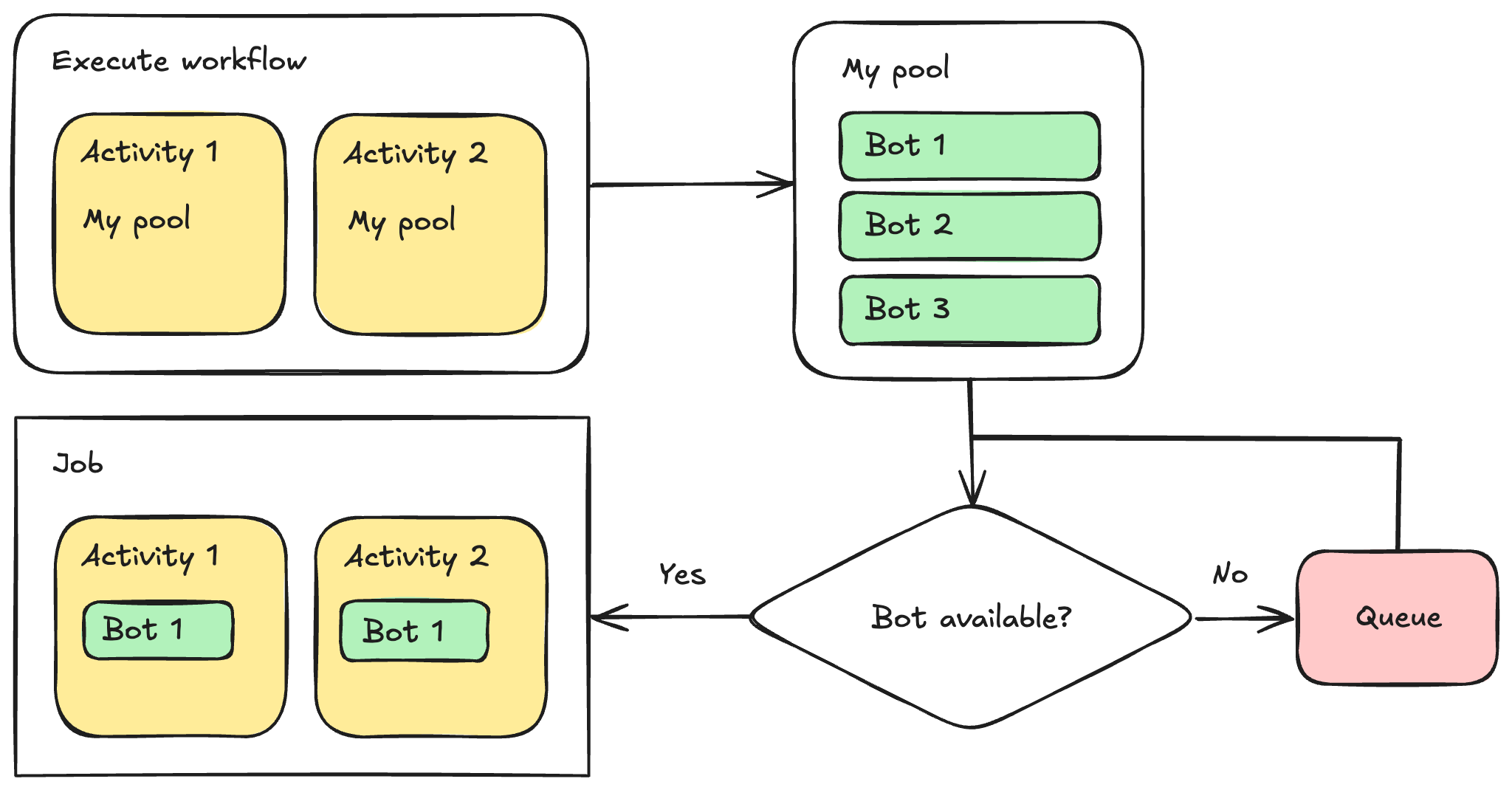
When executing workflows containing activities with bot pools, it will check to see if any of the pool's bots are available. If any are available one will be assigned, otherwise the job will be queued until one becomes available.
Once a bot is assigned from the pool the job will continue to use that bot for all activities that use that pool until the job is complete. Once the job is complete the bot is released and subsequent executions of the workflow mayb be assigned a different bot based on availability.
Each bot in a pool has it's own file storage, so you cannot rely on files being present on the bot every time you execute the workflow. We suggest you use a datastore File Drive or 3rd party file stores if you need to use files in activities that use bot pools.