
Docs · Projects
Trigger
A trigger node allows you to run other workflow as part of the current workflow.
The trigger node works in tandem with a Listener to start a workflow by making an API call to the listener, which in turn starts the workflow. This allows you to design your workflows in a more modular way, which encourages better design and maintainability.
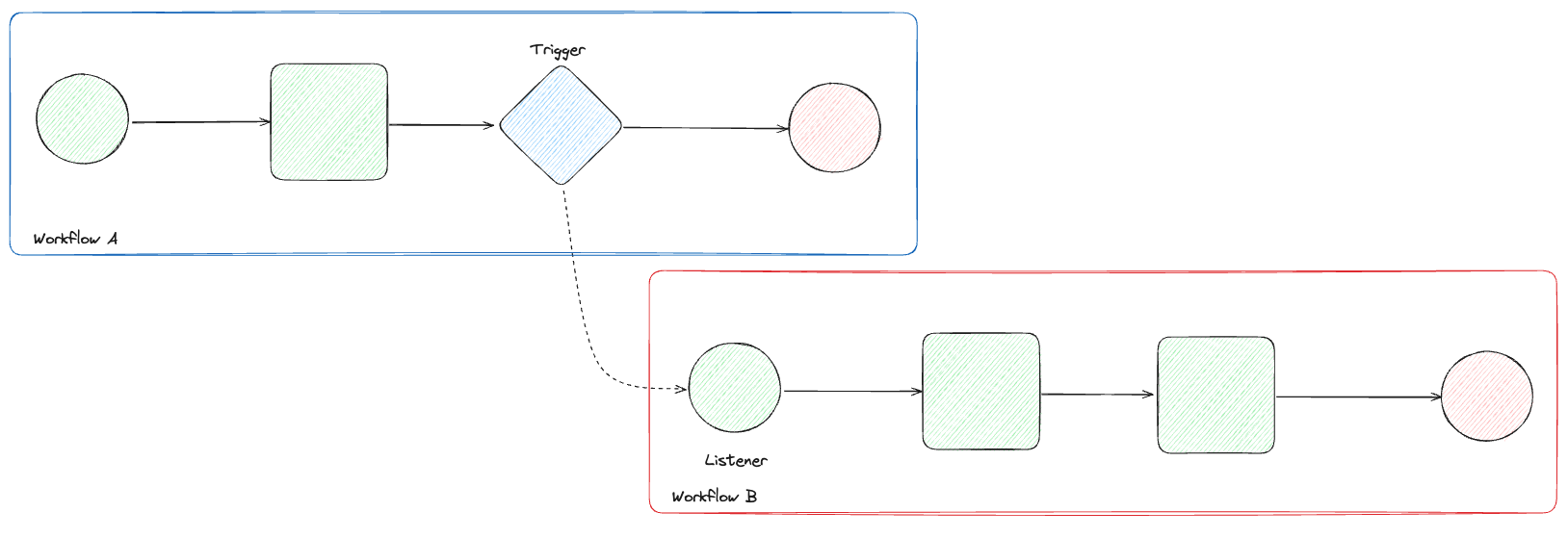
You must provide the Trigger with the name of the listener you wish to call, an API key (not required if listener is public) and any inputs. Data can be passed into the trigger node so that the other workflow can be run with inputs. The node does not return anything but will fail if the API call was unsuccessful, indicating it was unable to start the other workflow.
For instances where you might want to run a workflow that resides on a different Toca platform, you can use the "Custom listener URL" option to provide the listener URL of the other platform.
You can also use the Trigger node to make a simple generic POST API call by filling out the details in the "Custom" tab where you can provide:
- URL
- Body
You cannot provide headers so for more complicated API calls it is better to use the API caller action in an Activity. It is also worth noting that a Trigger node does not return any usable output so if you require the API response then use an API caller action.