
Docs · Release notes
7.8 - Release Notes
What's New
General
Table Interface
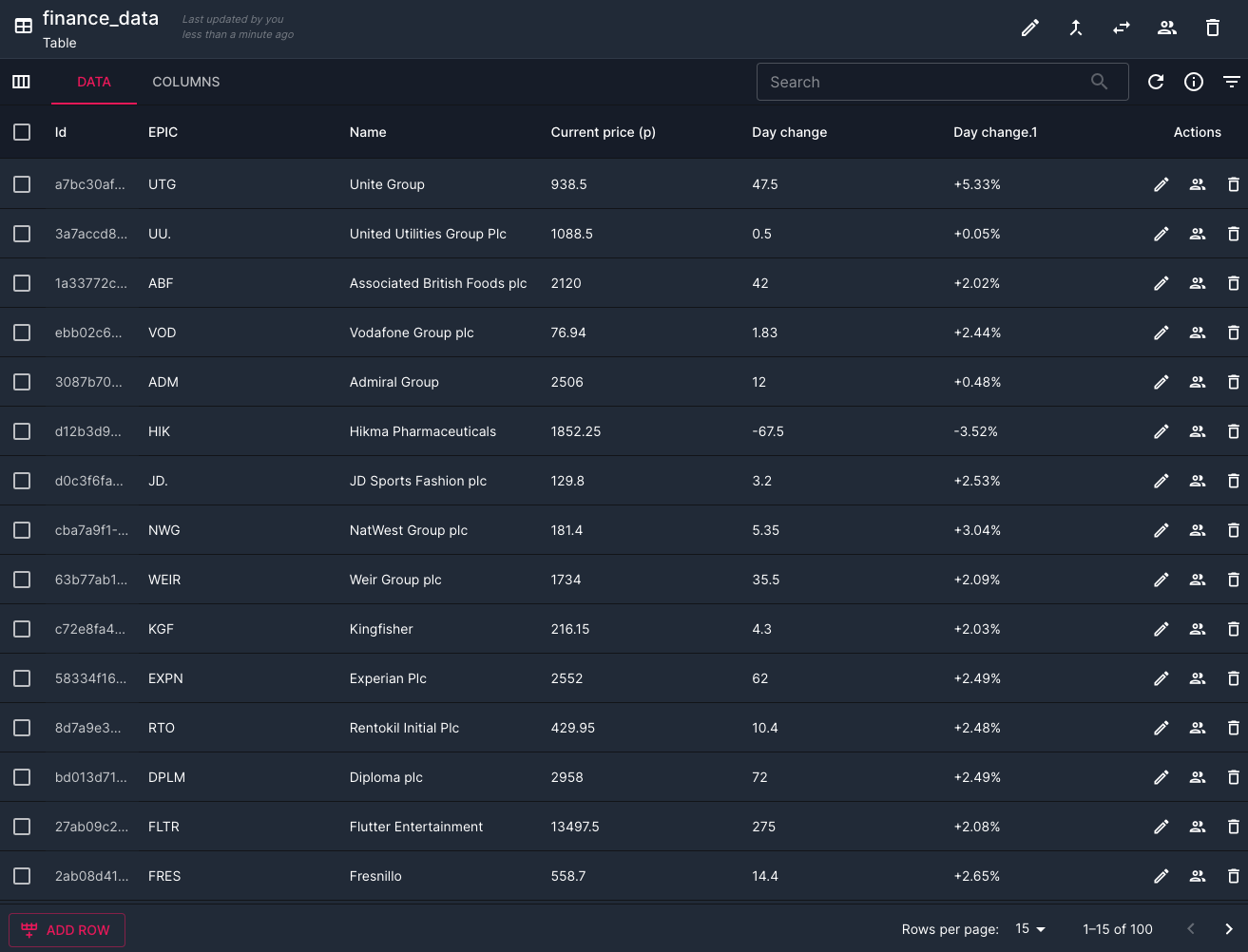
Further to the Datastore design changes introduced in the 7.6 release, Tables themselves have had some extra redesign work. You can now edit rows and cells in place as well as editing multiple rows in one go. The way relational data is displayed has also been significantly improved so that you can directly view related data without having to navigate away from your existing table.
Reporting Improvements
An improvement has been made to the queries you can perform in Reports, you can now filter your reports by looking for certain inputs and outputs to a workflow. This is especially useful if you are trying to find all workflows that ran with an input of a particular value. You can now also query for any workflows that contain a failed activity, this can be useful when trying to identify failures that might otherwise be obscured.
Additionally, you can now re-run and cancel multiple jobs at once.

Views
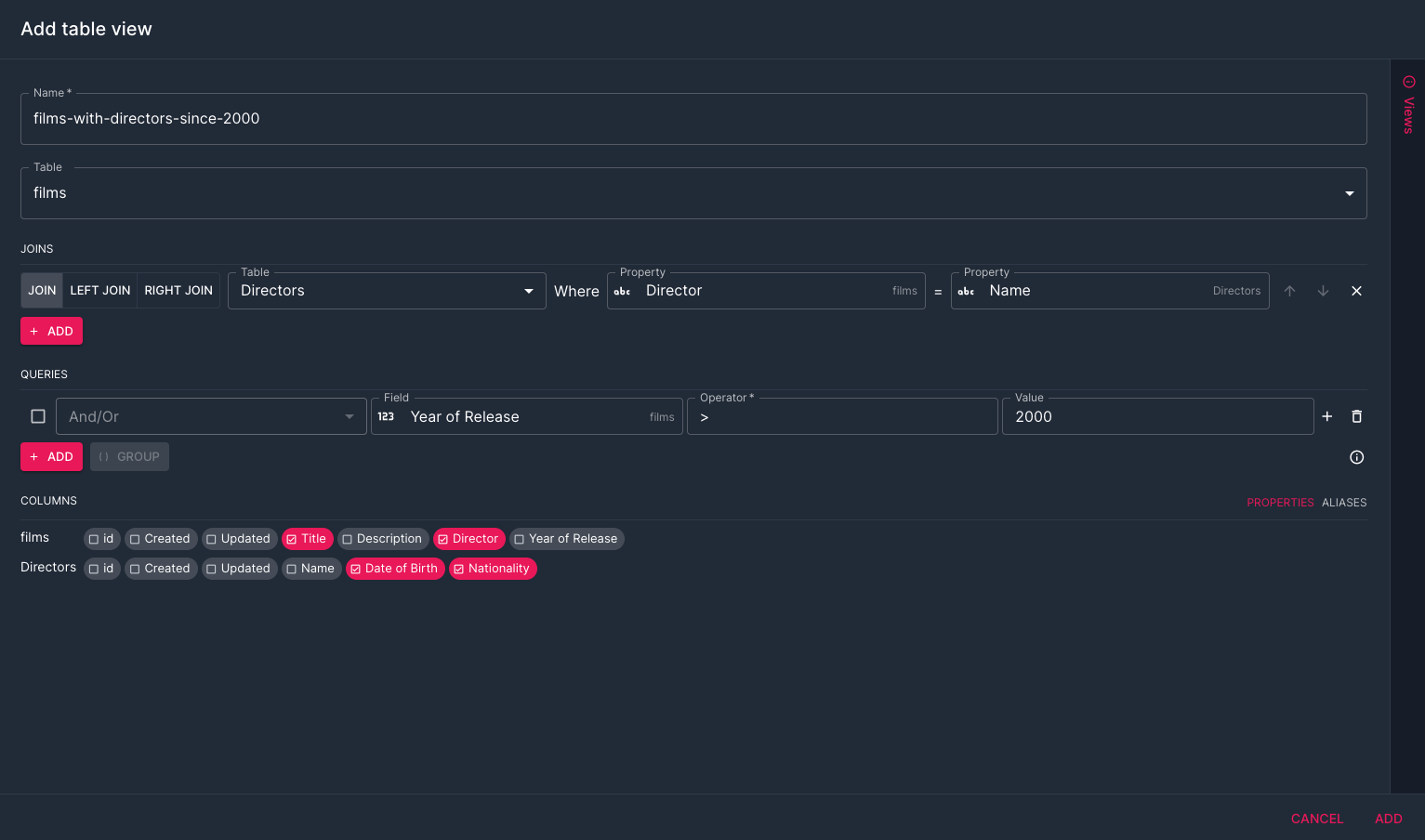
You can now create Views within a Datastore, a View allows you to build a read-only table based on a static query, where you can also include columns from other tables. Head over to the Datastore to create your first View and read more about them there.
The Handbook
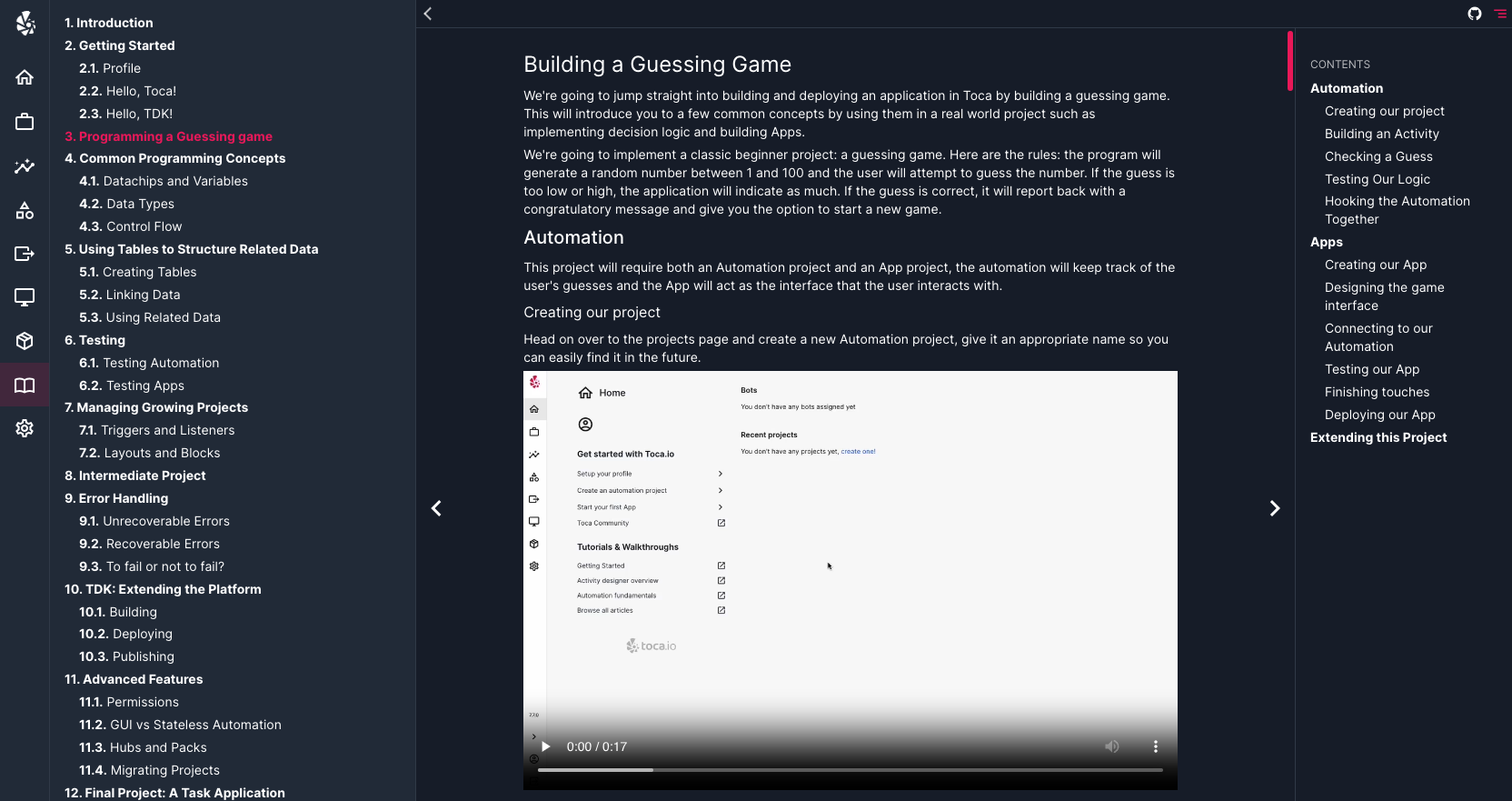
The Handbook is a new documentation resource built into the platform that guides you through common concepts, examples and advanced topics. Whether you're a newcomer to Toca or a veteran of the low-code arts, the Handbook will almost certainly contain something useful to you!
Automation
Recovery Workflows
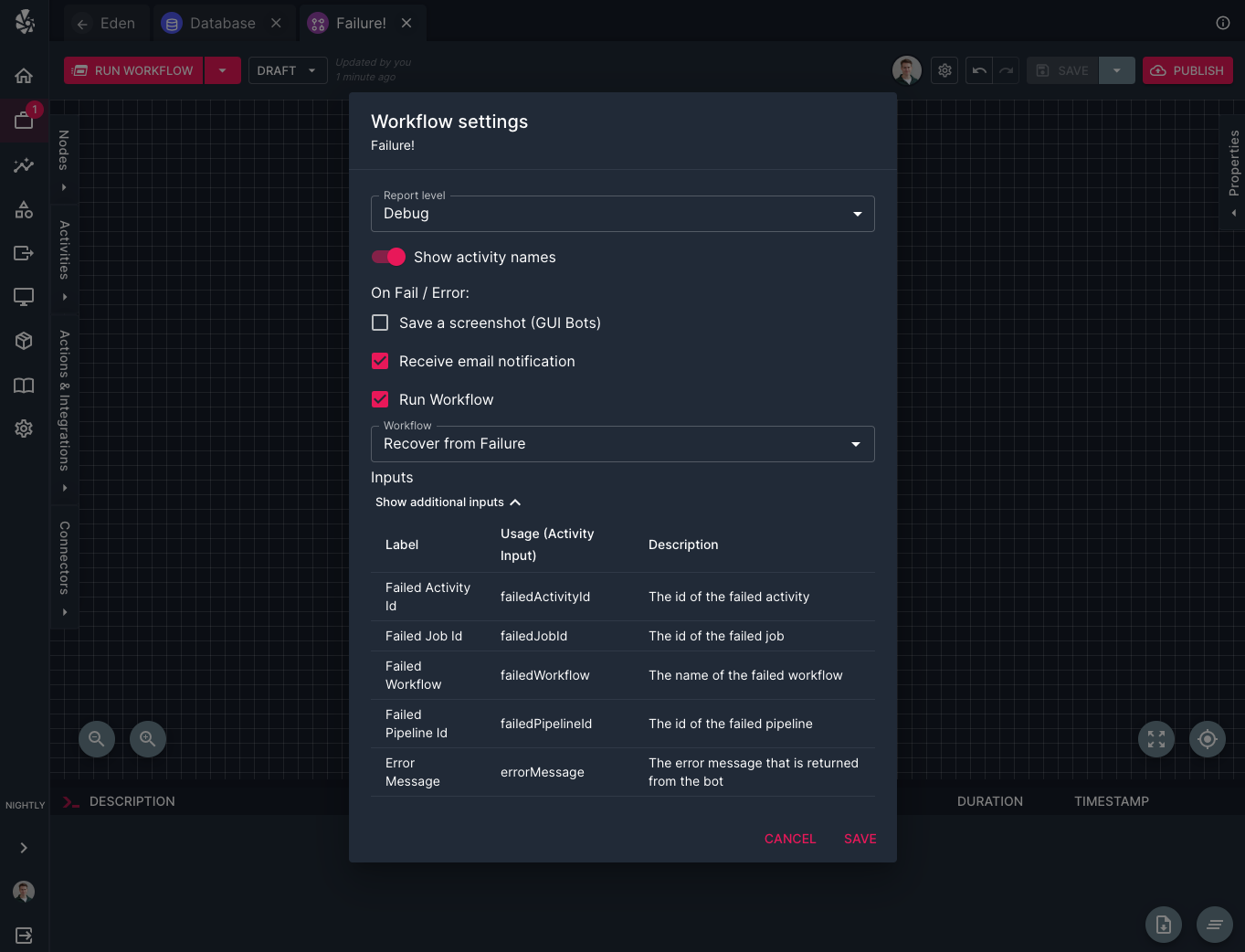
You can now set up workflows that will automatically trigger if a Workflow fails. This will run immediately after the Workflow runs (even if other Workflows are queued up) and can be designed to either recover from the failure or log any errors. The recovery workflow will also have some default inputs injected into it such as the Error Message for why the original Workflow failed as well as the name of the failed Workflow. These values can be useful for logging any errors that are encountered. Head over to the settings of a Workflow to configure your first Recovery Workflow.
This new feature includes two additional actions which are Re-Run Jobs which allows you to pass in a JobId (which is automatically injected as an input into the a Recovery Workflow) and rerun a job. There is also a new Run Workflow action which allows you to trigger a Workflow from an action, as well as providing the inputs for the Workflow.
Apps
Map Components
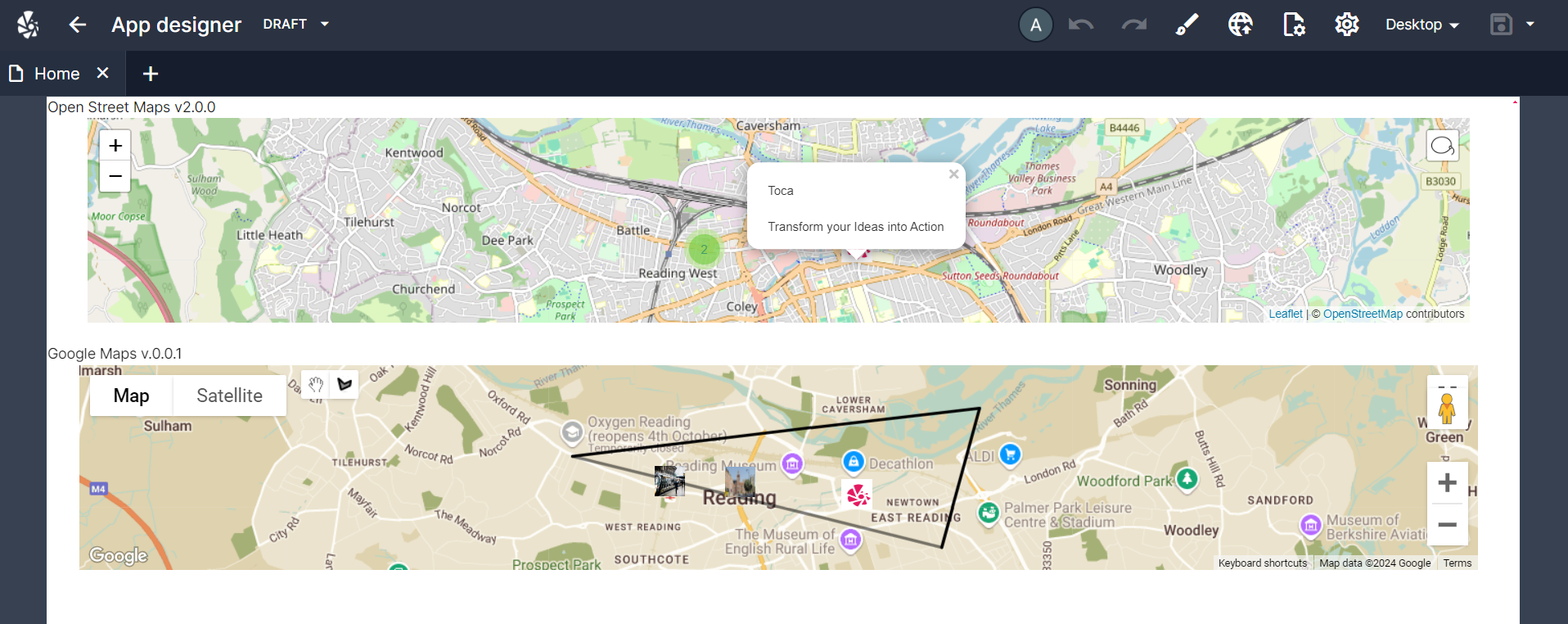
There have been several improvements made to the existing Open Street Map App Component. You can now lassoo a series of map markers as well as driving the map markers on the component from a table.
We have also released the first version of a Google Maps App Component which is an integration of Google Maps. It behaves similarly to Open Street Maps but has a few additional options but you cannot do things such as lassoo an area of markers.
Bug Fixes
A number of bug fixes were included in this release across the platform.
Contact <support@toca.io> for a full list of bug fixes included within this release.
Deprecated
No functionality has been deprecated in this release.