
Docs · Guide
Toca as a Technology Stack
Modern full-stack web applications involve many moving parts: a slick UI, responsive server-side logic, and robust, scalable data storage. Making all these layers work seamlessly together can be challenging.
Toca aims to simplify and unify this process by providing an out-of-the-box solution that covers all aspects of the development lifecycle. From initial development, to monitoring automation processes, and hosting.
With Toca, the technology is consistent across all elements of the stack so the complexity and overhead is greatly reduced. This being said, it still offers a great deal of flexibility and configurability so whilst it is simpler to build an application on Toca, you can still put together large and complex apps.
Full Stack Development Framework
Whilst there are many platforms out there which offer a low-code Drag'N'Drop interface to put together software, there are very few which offer the breadth of features that Toca does. In Toca you can build software across the full range of the stack: front-end, back-end and data.
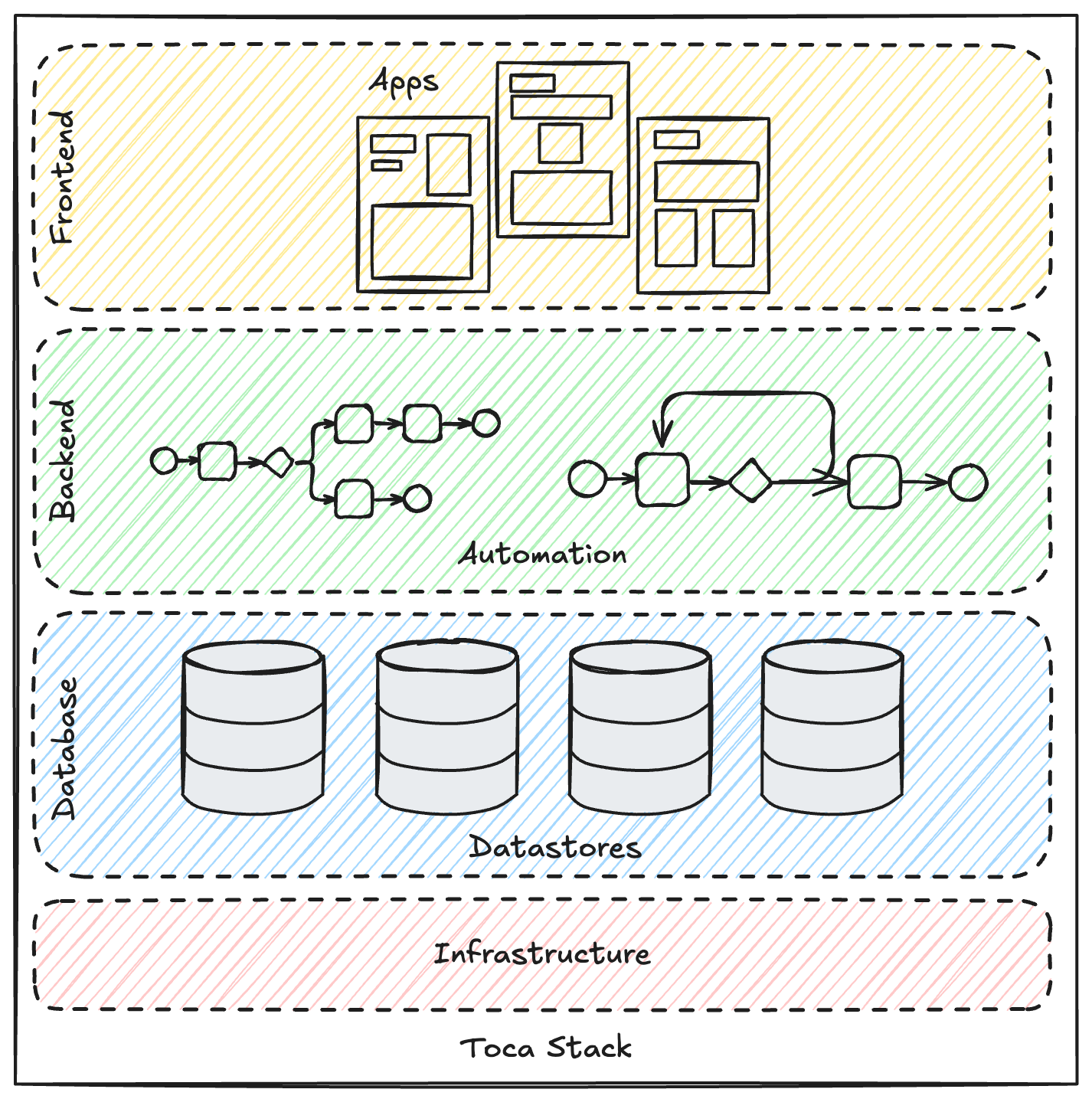
- Apps in Toca cover just about all you need to design your user interfaces and define the interactivity on each page.
- Automation covers all the server-side logic, including interactivity with the database layer and running flows triggered by users on your App.
- Datastores cover your database needs by allowing you to build tables and views.
- Lastly, Toca will also host and run the application that you build on it so no need to worry about sorting out infrastructure for your project when it's ready for release!
Frontend Stack: Apps
Apps are put together with pages where each page represents a distinct page in your web app. On each page, you need to place down components, components represent UI widgets such as a chart or navbar. Each component can then trigger some logic from an event that happens to the component such as being clicked on, this logic is defined with IPL actions (IPL stands for In Page Logic).
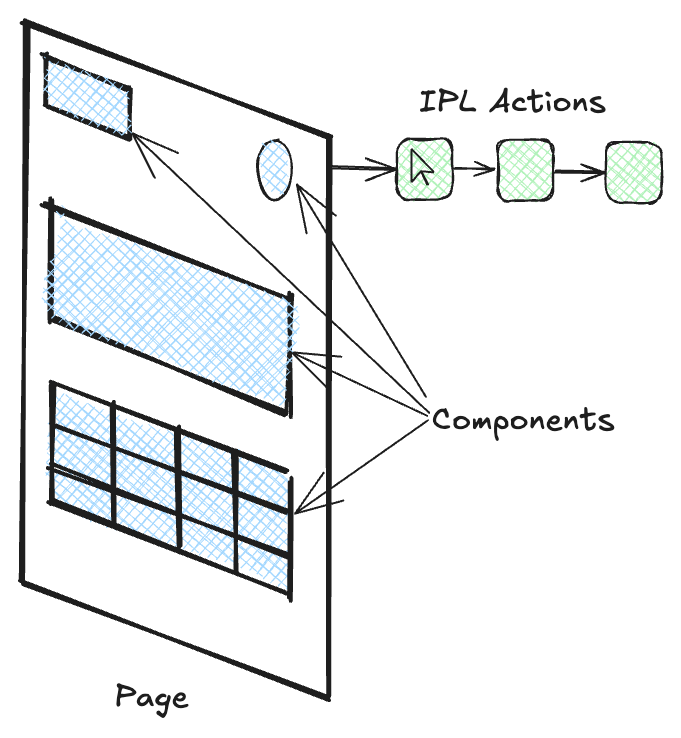
Apps can be locked down behind log in and registration pages or they can be publicly accessible. Apps can also display data from the data layer of the stack by linking a Datastore with an App. You can also allow users to run server-side logic by linking Apps with Workflows defined in the Automation layer.
Backend Stack: Automation
In Automation, you define blocks of logic known as activities, which consist of one or more actions, where each action performs a specific automation task such as adding a row to a table or making an API call. Activities are then placed into overarching flows called workflows. These workflows can then be run manually, on a schedule, triggered by a user of your App or run via an API call.
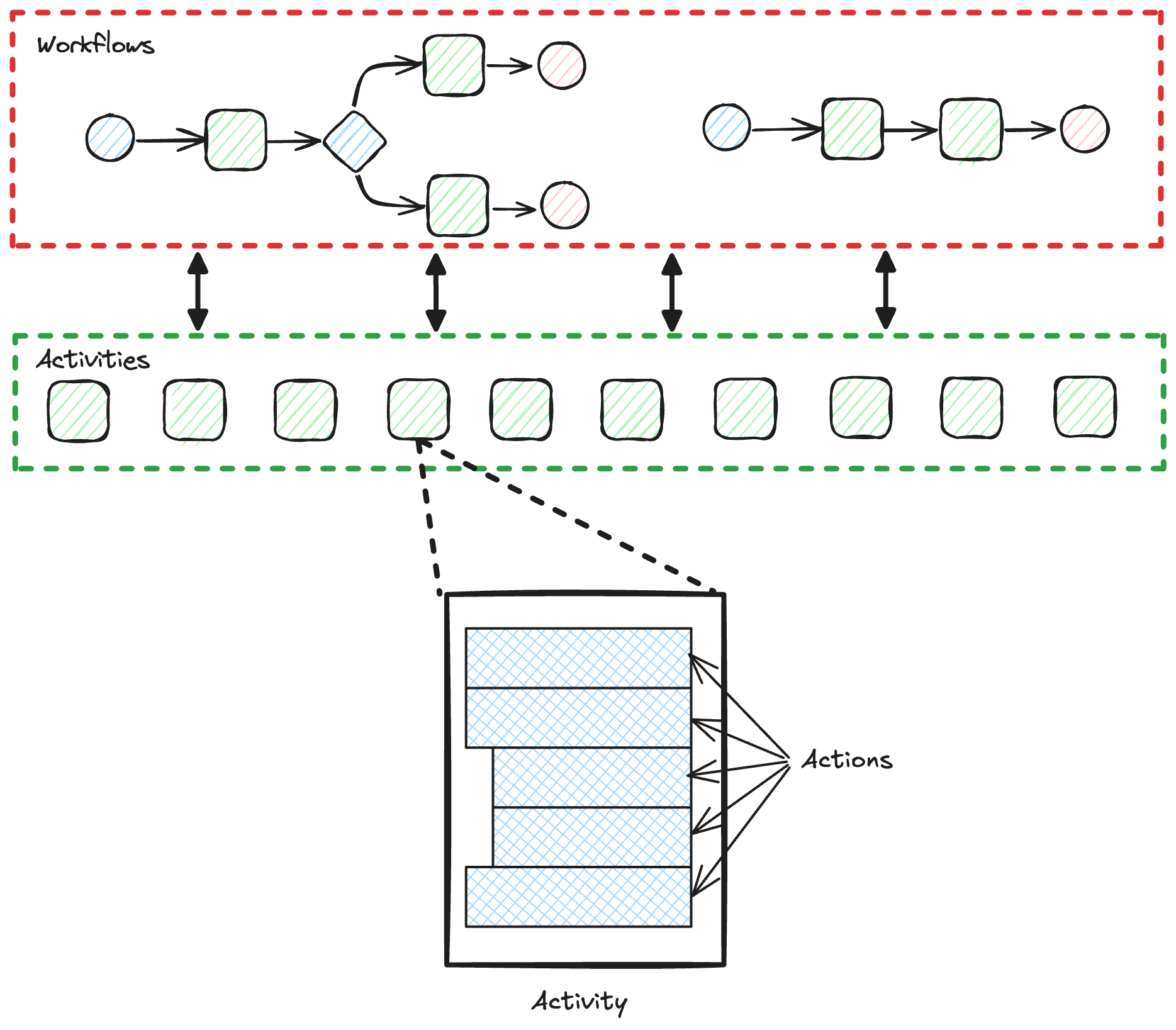
Automation can then link to Datastores which represent the data layer in the Toca stack. This allows you to read and write to tables and variables stored in Datastores from your automation.
Data Stack: Datastores and CMS
There are two main ways of storing persistent data in Toca and which one you use will depend on your use case. If you are building an App that is very content heavy such as a blog site or a glossy coorporate website, then you may require a content management system (CMS) to manage the content and articles you want to display in your app. If your data is more transient and you need to store data that frequently needs to be updated then you are likely to need a datastore. Inside a datastore the most common way to store data is using tables and views. If you need to store smaller bits of data persistently then you can store singular variables as well as credentials such as OAuth identities and passwords.
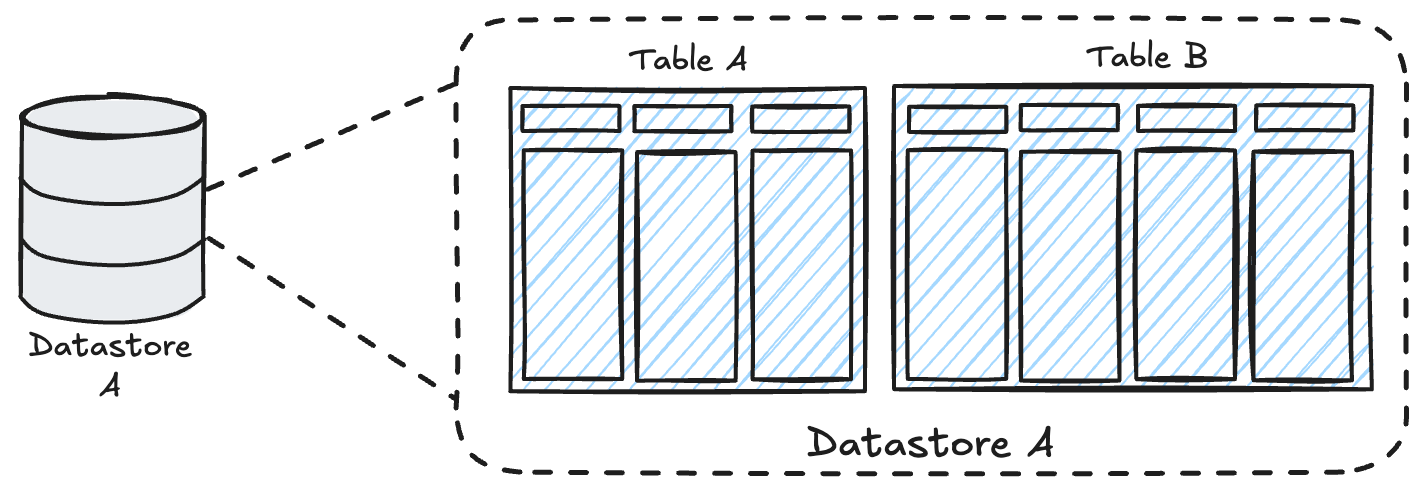
You can then link your App and Automation to your data layer, allowing you to drive chart components in your app from the data in a datastore table or add new rows to your datastore from your automation.