Docs · Projects
Shadow
The shadow property adds shadow effects around a component's frame. This can give the illusion of a component having depth or appearing "above" the layout the component sits within.
From the properties of the component you can select:
- colour: Specify the colour of the shadow
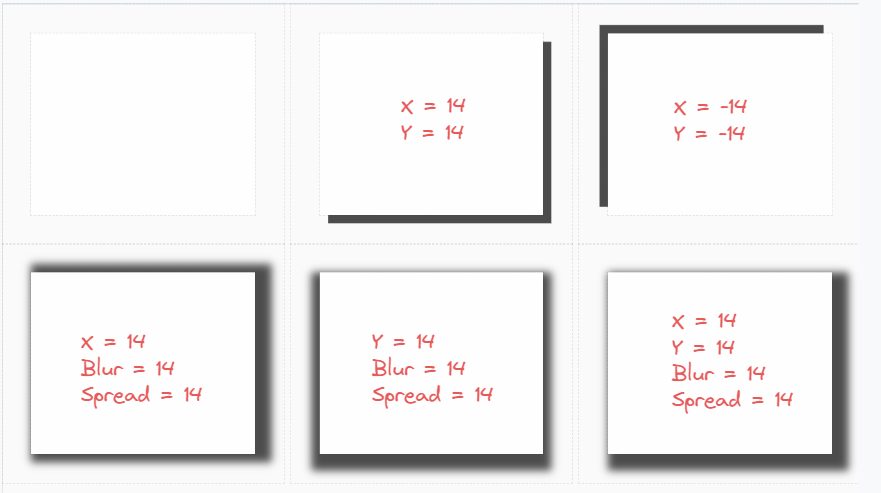
- X: Horizontal offset value, a positive value puts the shadow to the right of the of the component, a negative value puts the shadow to the left of the component.
- Y: Vertical offset value, a positive value puts the shadow below the component, a negative value puts the shadow above the component.
- Blur: Add a Blur Effect to the shadow, the higher the number, the more blurred the shadow will be
- Spread: Set the Spread Radius of the shadow, this refers to how "big" the shadow is.
X,Y,BlurandSpreadall accept a valid CSS value. For example12px,1.5em,calc(10vw + 8px)etc. Numerical values will be treated as pixels.