
Docs · Release notes
7.10 - Release Notes
The theme of this release is all around productivity! The release brings in a lot of new functionality that enhances existing features within the platform, making it easier and faster to build things!
What's New
Apps
Translations
Multilingual Apps are now natively supported in Toca! 🌍
With this new feature, you can now add support for multiple different languages in your Apps by defining translation tables and then using Translation Datachips to represent the text to be translated in the app components.
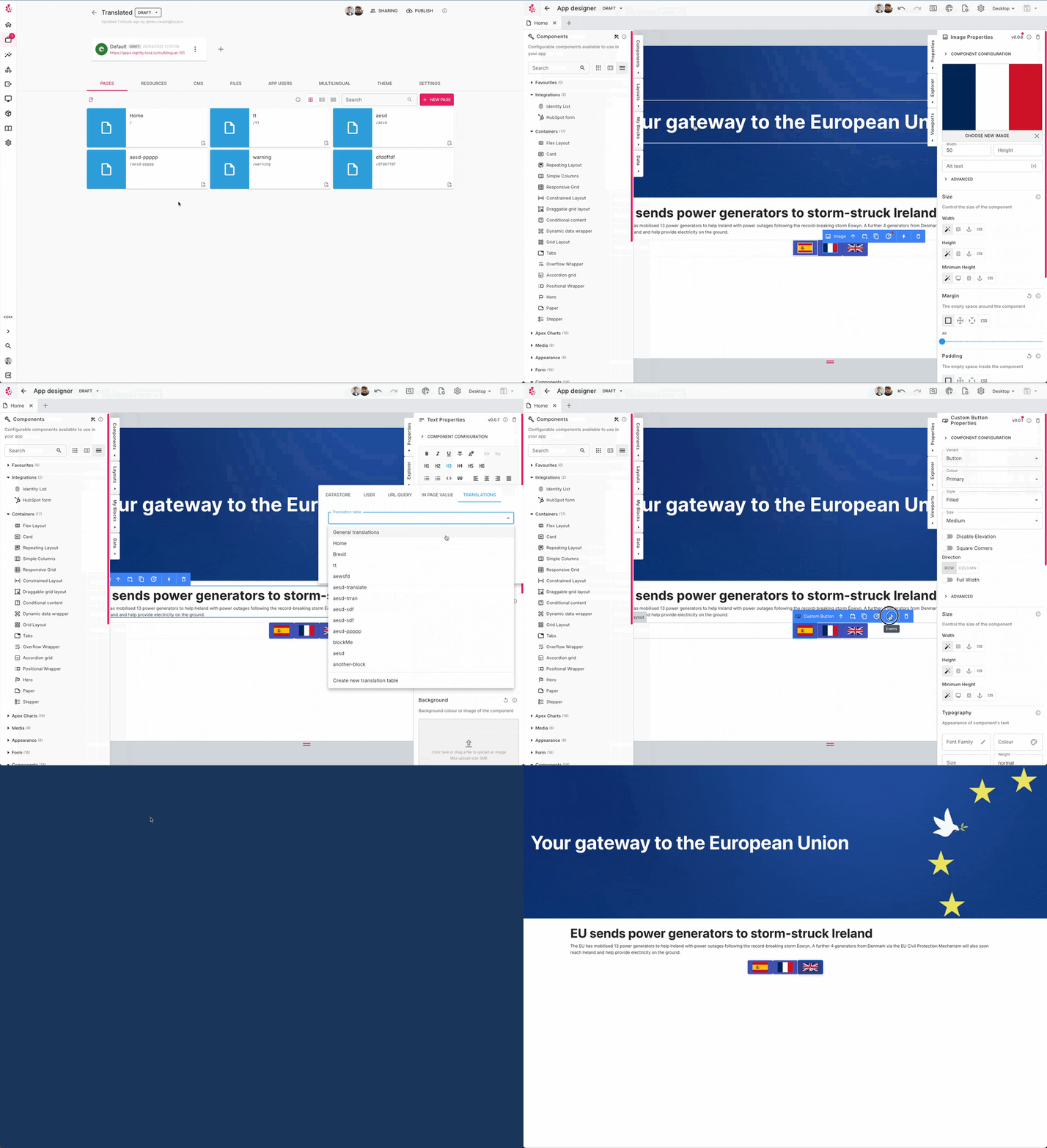
An App with Translations enabled will automatically select the translation based on the locale of the browser. You can also specify a default language which is what the App will fall back to if there is no translation available for the browser's current locale. If you want users to be able to select their language then you can use either the Language Selector App Component or you can use the Set Language IPL Action.
Translations are bundled and built into your App, so there is no performance penalty for enabling them! 🚀
Data Sidebar
The App Designer now has a Data sidebar that allows you to drag datastore tables & views, as well as listeners, directly onto the page you're designing. This will then take you through a wizard which will attempt to automatically place the corresponding components down for you. For example, if you drag a listener onto the page from the Data sidebar and the listener has inputs with types text, datetime and file then the wizard will suggest a Text Field component, a Date and Time picker and a File Uploader.
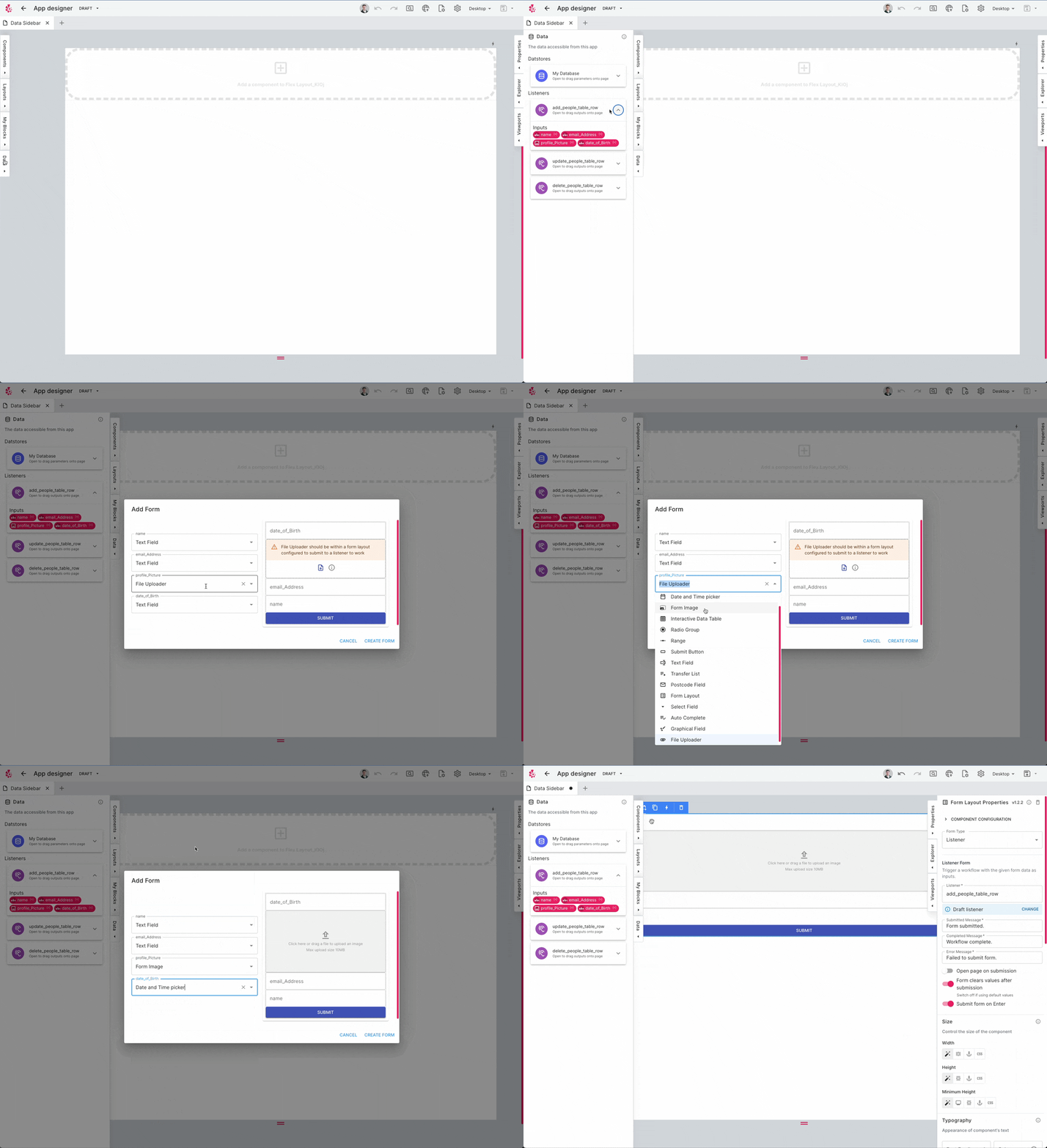
This will help move quicker as instead of having to manually place down individual components to build forms or display tabular data, the data wizard will do all the heavy lifting for you!
Layout Standard Library
Apps now ship with a library of Layouts which encapsulate common designs and UI widgets such as Login modals, Hero banners, Navbars, Footers and many more. This will help you build pages incredibly quickly as you can just lay down these templates and then tweak them for your specific use case. Check them out by heading to the Layouts panel in the App Designer and try them by simply dragging them onto the canvas.
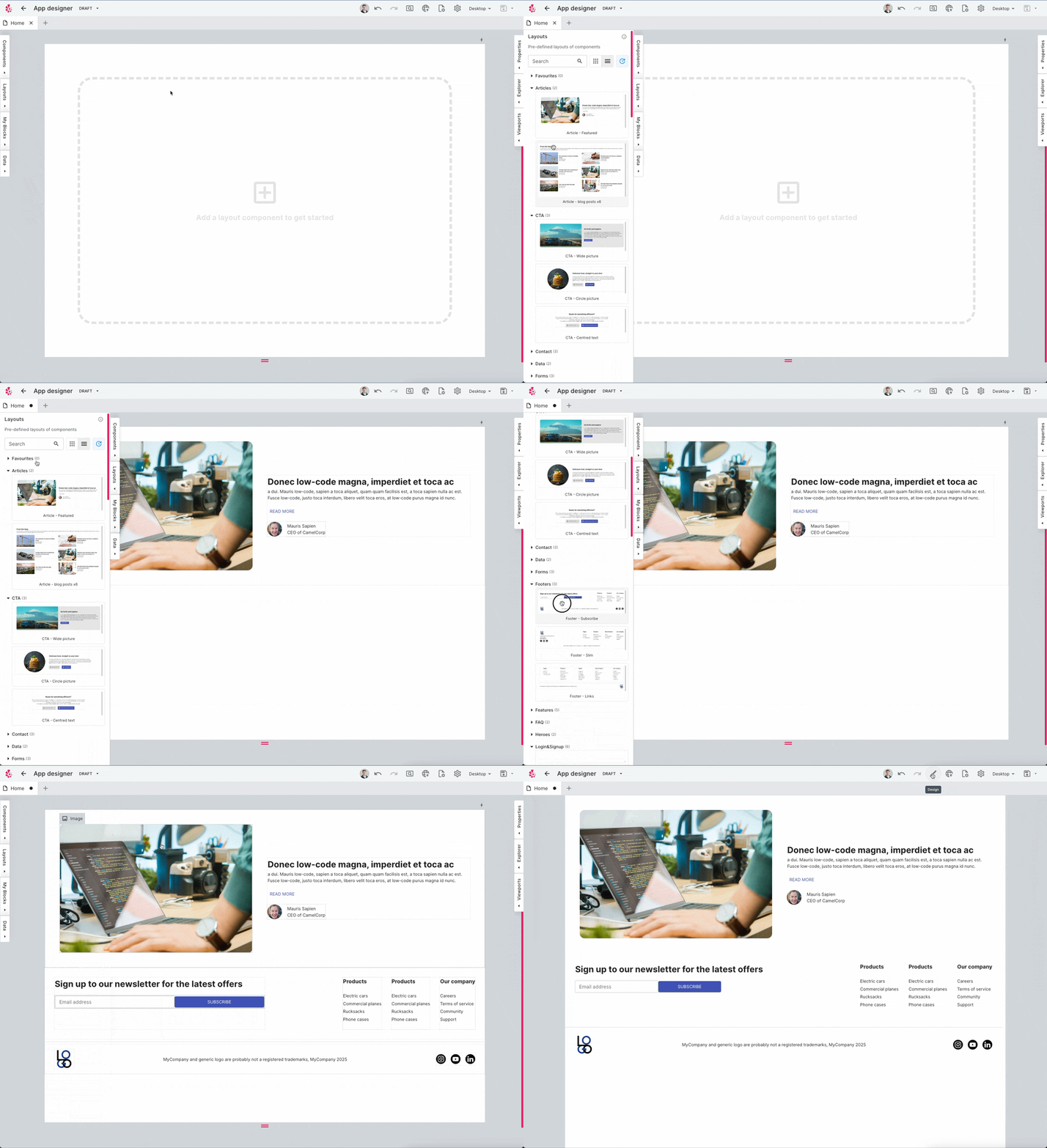
You can also view these layouts in the TDK, clone them and develop your own layouts using these as a base template.
App Login Redirect
App users will now be automatically redirected to page of an App they were originally trying to access, even if they needed to log into the App. This means that you can send an App user a link to a specific page of the App and after they have logged into the App, they will be directed straight to the page the link pointed to.
IPL Minimap
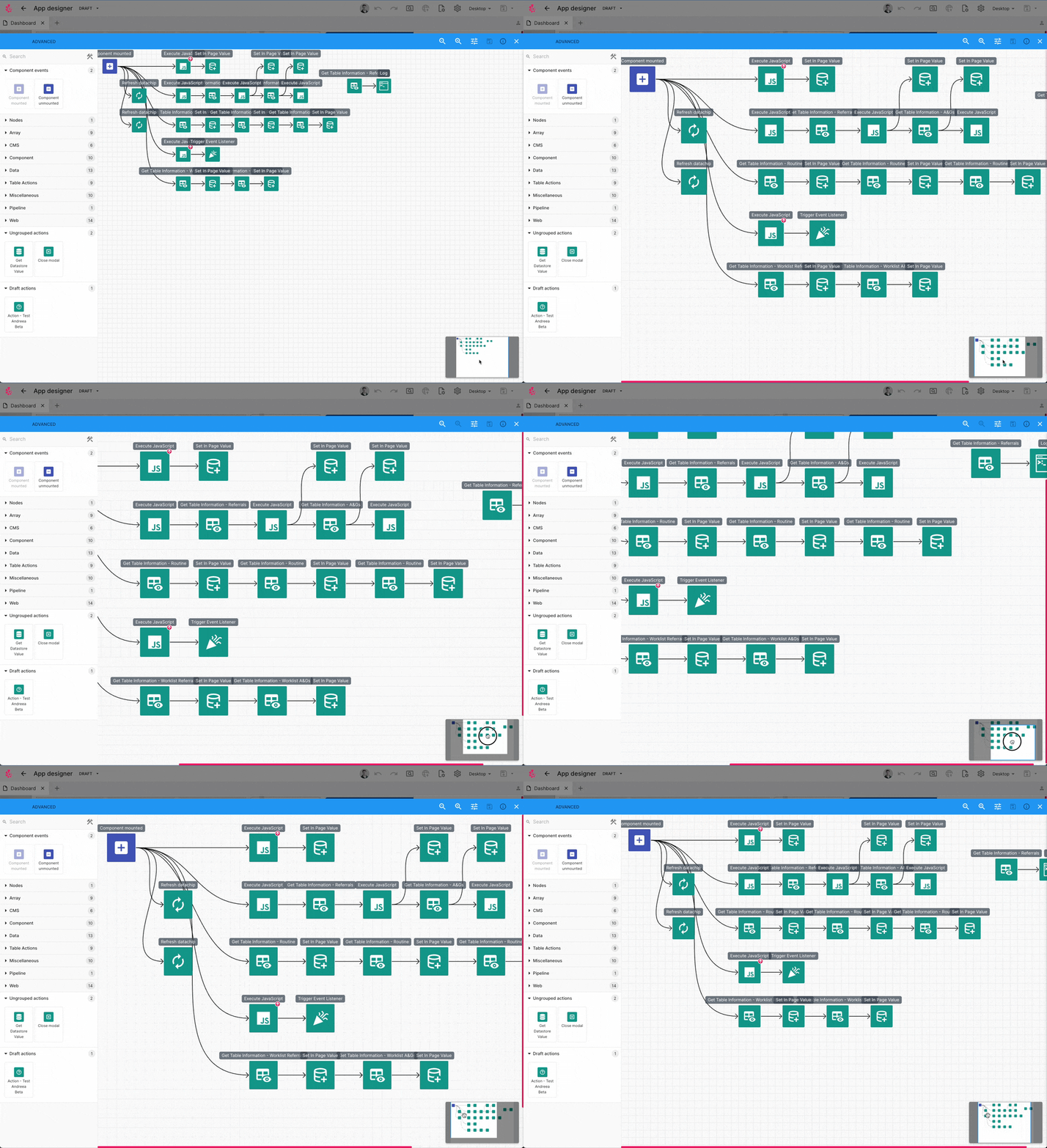
Your In Page Logic flows are now much easier to navigate with a minimap that can be dragged or scrolled to move along your flow.
New Components
We have released a series of new App Components in this release which can be used to enhance your Apps! ✨
Carousel
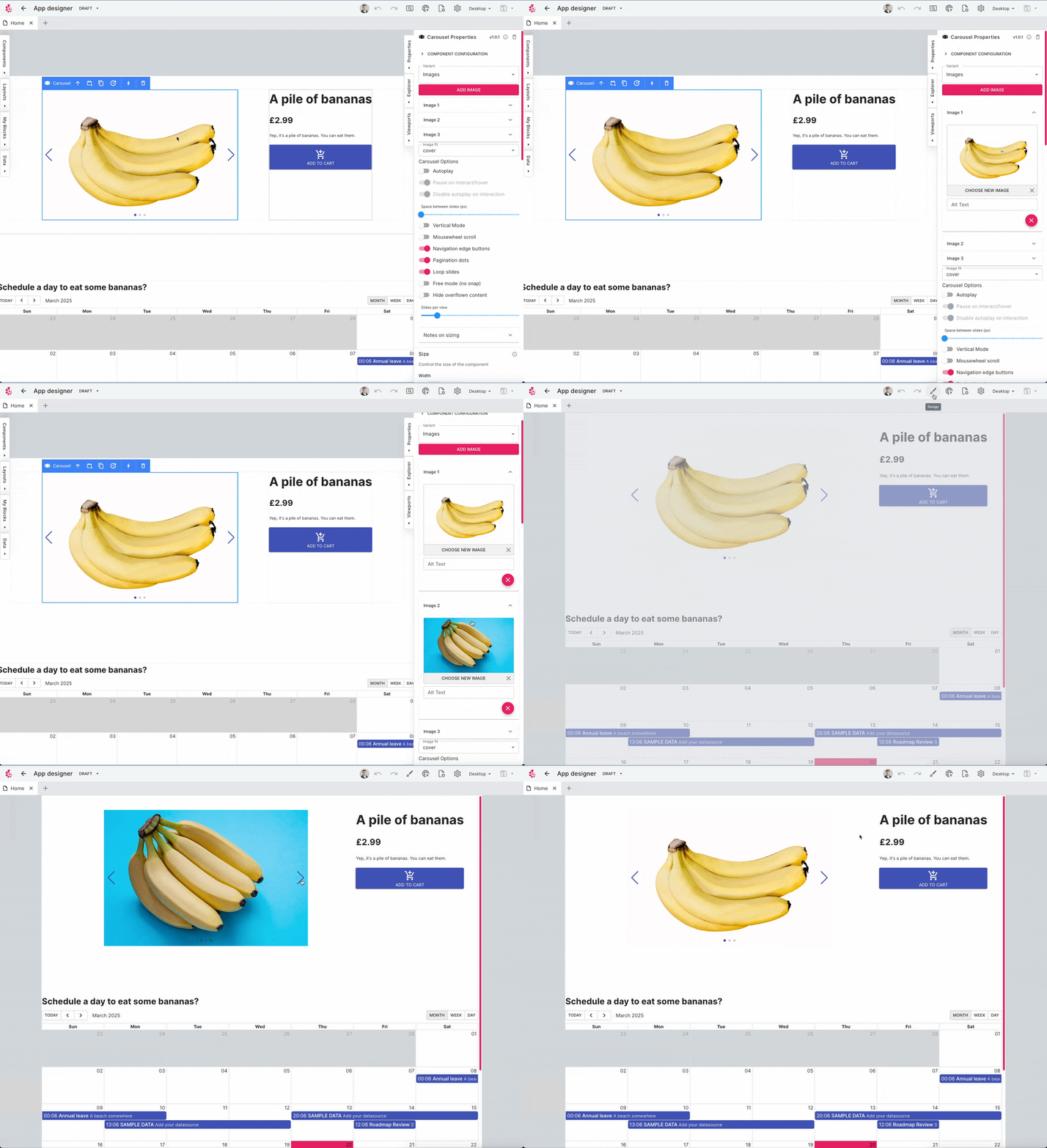
The carousel component allows you to build a slideshow for cycling through a series of content.
Custom Button
The new Custom Button allows you to define a clickable area and then place anything inside that area, this could be text and an emoji or an image or anything else for that matter! This allows you to build completely bespoke interactive buttons into your App.
Stepper
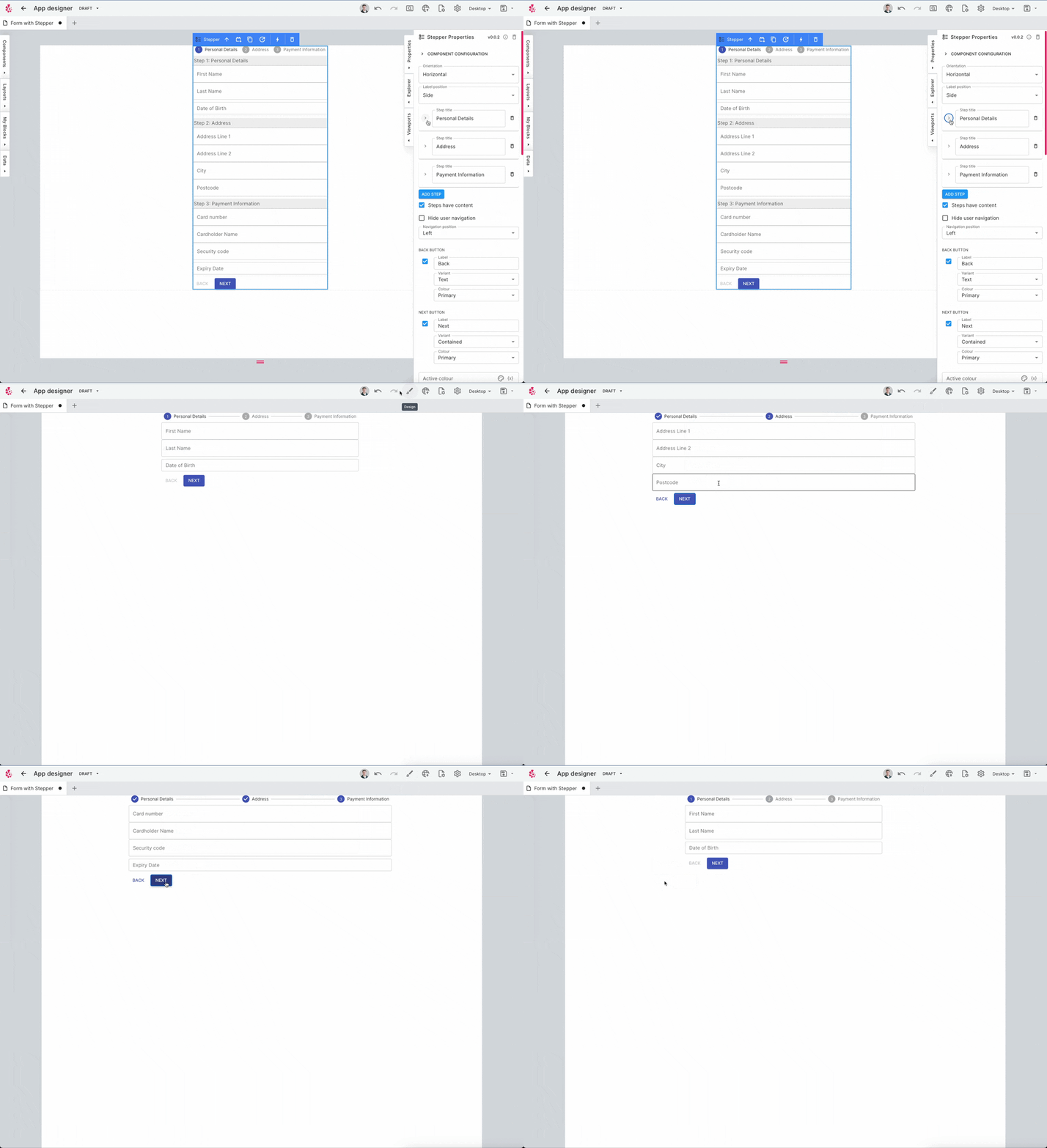
The Stepper component is a component designed for making forms with lots of parts to them more intuitive and clear to the user. It allows you to design a form that guides your App user's through a form in the order that you want.
Calendar Component
The calendar component has had a complete rework and now not only has better styling and configuration options but additionally now has many more IPL Events that you can hook into to customise the behaviour of the component.
Automation
Data Processor Generative AI
This marks Toca's first Generative AI feature and we have started with the Data Processor action, which can be found in Automation Activities. There are two main ways which we believe that Generative AI can assist in certain areas of the platform. Firstly, the ability to explain something that has been developed in Toca. This is especially useful if you are picking up a project from someone else or coming back to a project you did a while ago and you need to quickly understand what the Data Processor is doing. Secondly, a build assistant that takes a prompt from you describing what you want to do and then it will generate the necessary steps to achieve what you have described. This will help you move much quicker, providing an easy way to generate the boilerplace and basic outline of what you want, allowing you to further hone the steps yourself.
We are continuing to investigate Generative AI as a tool which can enhance productivity in Toca so keep an eye out in the future release notes for new features in this space! 🔎
Explain Flow
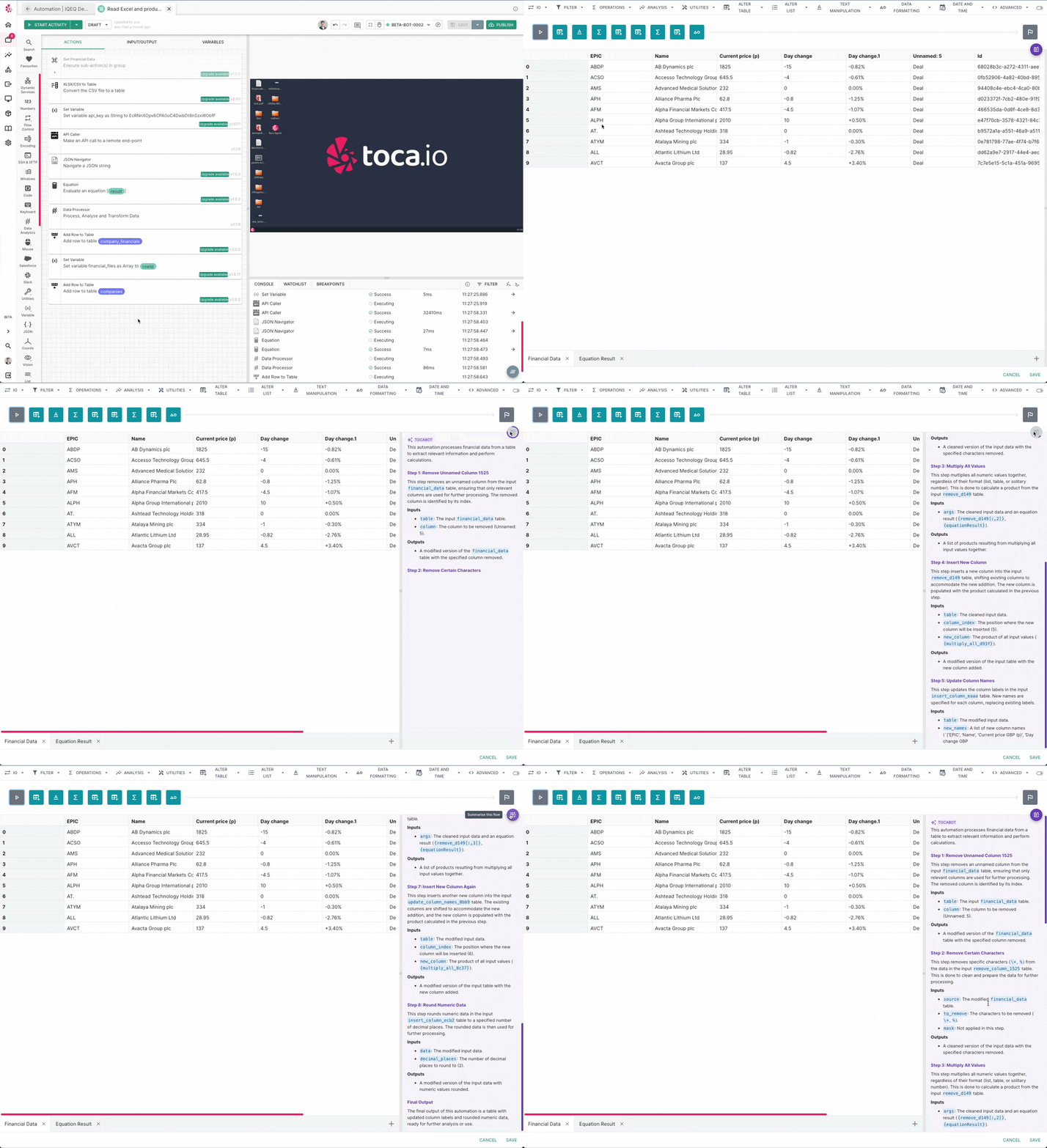
The Explain feature will analyse a data pipeline that has been built within the data processor action and will return a human readable summary of what the pipeline is doing. You can access it by opening a Data Processor action that already contains steps and selecting the "Summarise Flow" button on the right hand side. It will work best if you have run the subsequent automation that drives any inputs to the data processor, this gives it more context to work with!
Build Assistant Flow
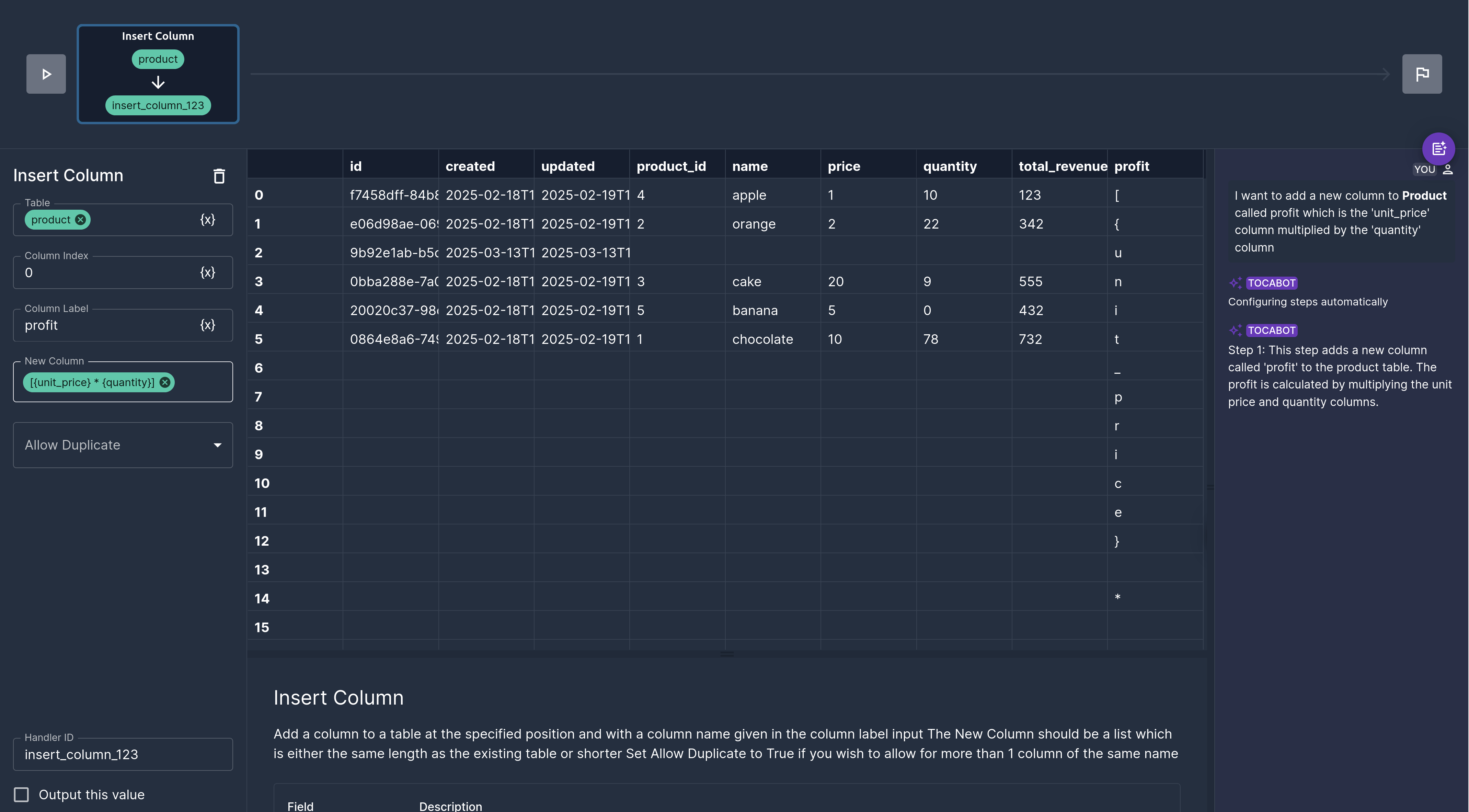
The build assistant allows you to give a prompt and insert datachips if you need to reference data coming from elsewhere and then the assistant will generate the pipeline for you, streaming each step one at a time.
This is an experimental feature 🧪
This feature is turned off by default but you can request this feature be turned on by reaching out to <support@toca.io> The output generated here is not guaranteed to be accurate but will improve over time
Table Automation Wizard
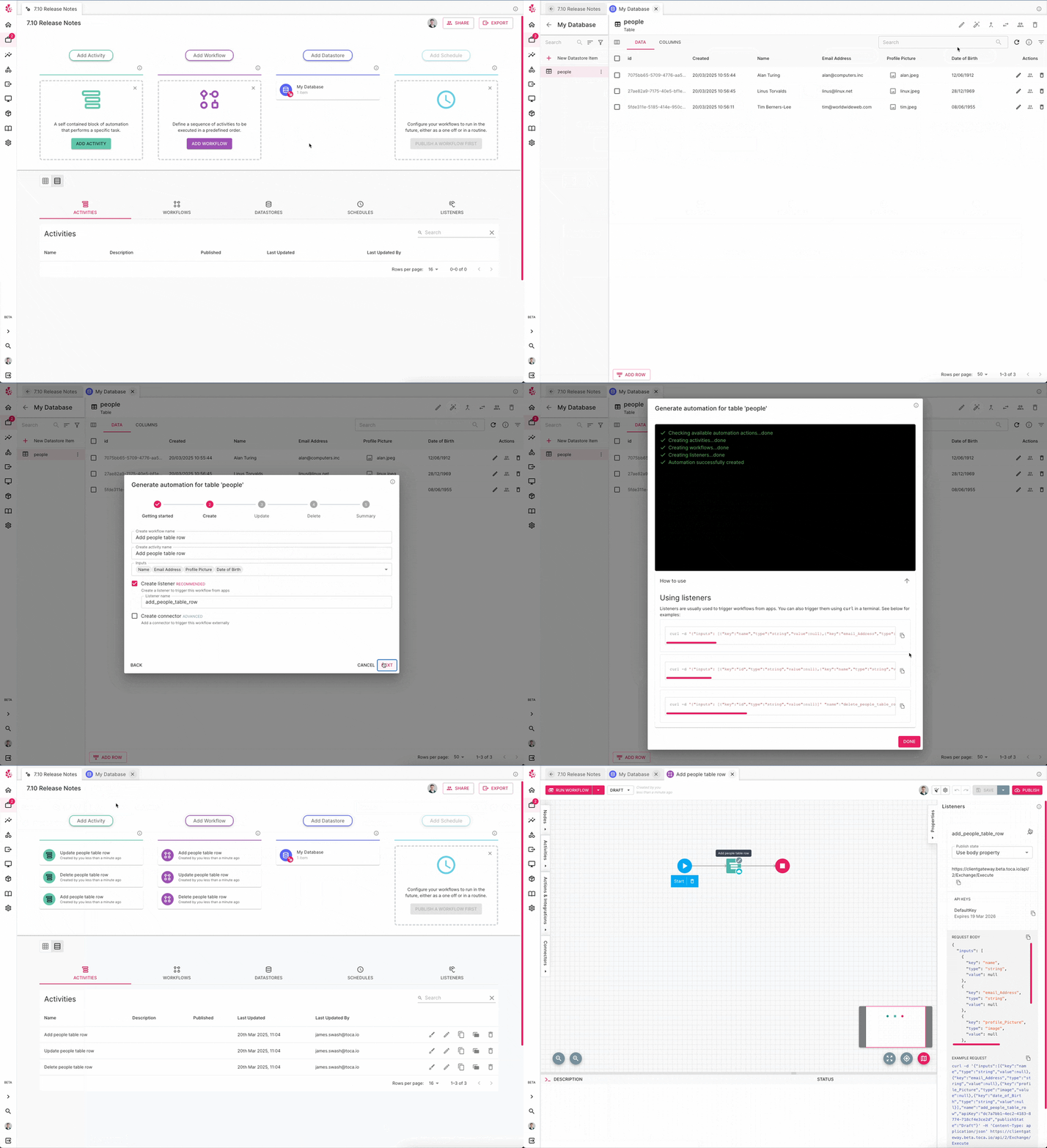
Whenever you create a Table in a Datastore, you most likely also need some automation to go along with it that will add data, update data, fetch data and delete data in your table. This pattern of automation is found in almost every automation project which contains a Datastore with tables. This feature aims to speed up the development of this Create, Read, Update and Delete (CRUD) automation.
The wizard will take you through several steps, allowing you to specify what behaviour you'd like to automatically generate the automation for adding to a table, updating a table, deleting data from a table and lastly reading data from a table. It will automatically generate not only the the activities and workflows required, but also the listeners and connectors if required.
Workflow Auto Sort
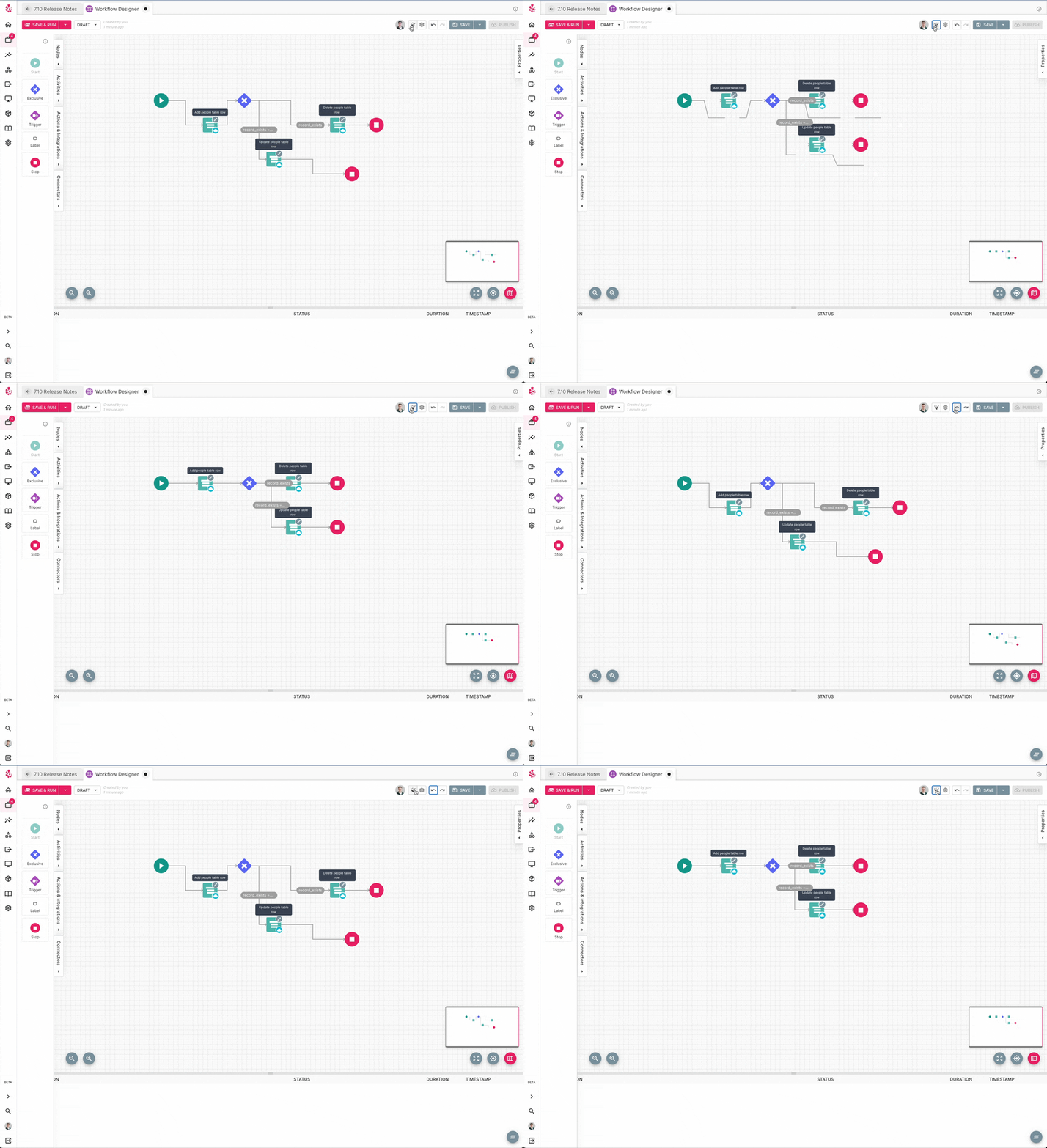
Tired of rearranging your Workflow so that it looks neat and the lines are all aligned correctly?
Well, now you no longer have to! There is a new button in the Workflow Designer that will automatically tidy your Workflow up for you.
Email Action Enhancements
The Send Email (v2+ onwards) action now allows you to send an email to multiple people, cc, bcc and add attachments. This is a big improvement as previously you could only use the email to send an email to a single inbox and it did not support attachments or cc'ing & bcc'ing people.
Workflow Minimap
Much like the IPL Minimap, the Workflow Designer screen now has a minimap in the bottom right hand corner of the designer which allows you to quickly and easily zoom and move around the canvas.
General
Global Documentation Search
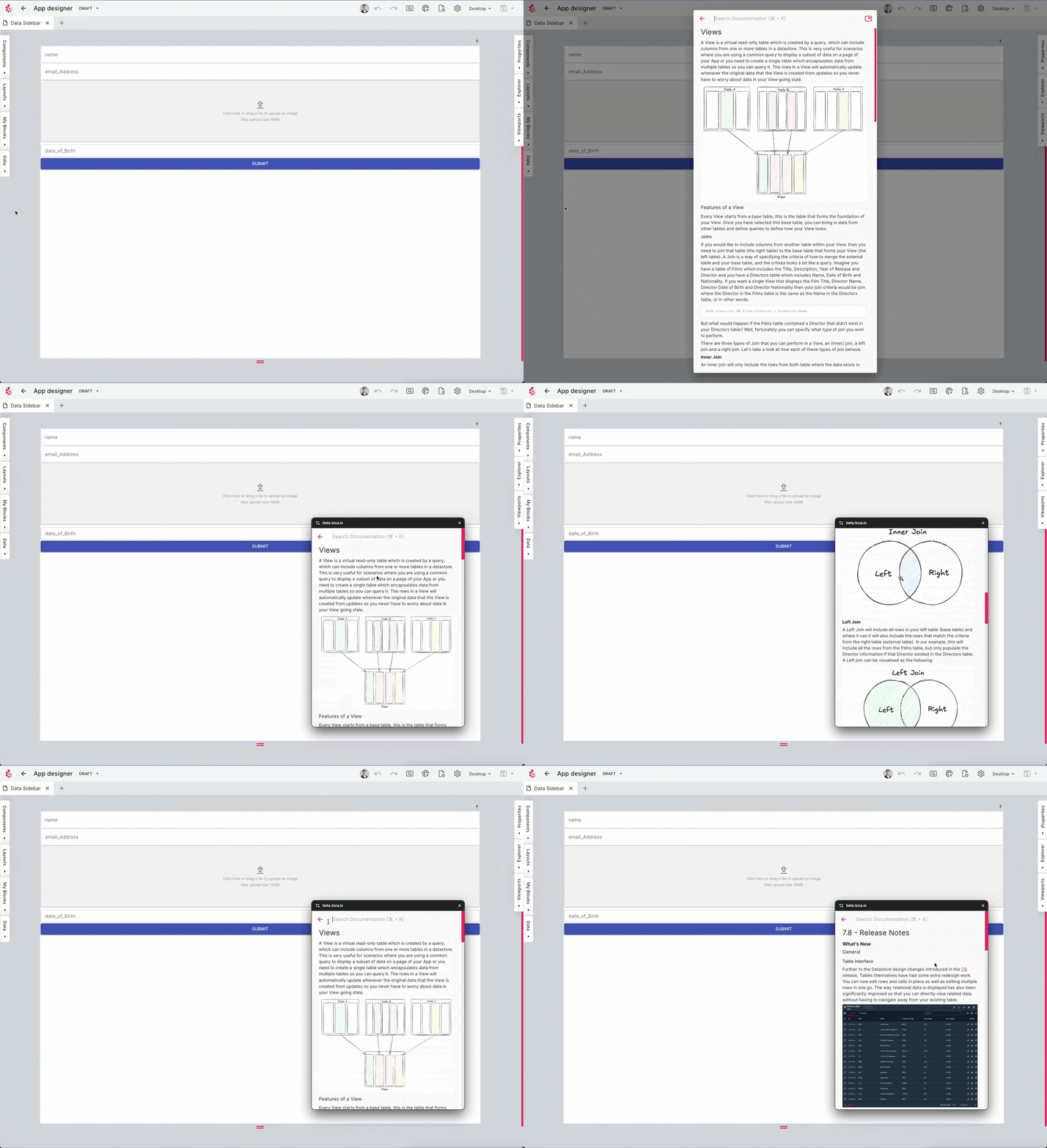
Have you ever needed the documentation for something in the platform, but you're currently in the wrong part of the platform to access it? Well, this will no longer be the case! You can now search the platform's documentation from anywhere by pressing Cmd/Ctrl + K and this will bring up a search bar allowing you to search through all the documentation. You can additionally open the resulting documentation in a pop out window, allowing you to drag the documentation to wherever you want it and still focus on the main platform! You can also open the documentation search by hitting the 🔎 Search icon towards the bottom of the main navbar.
Pipeline Storage Improvements
Pipeline/Reporting Data is now stored much more efficiently, leading to it taking up less disk space when it is stored and additionally it should be much quicker to delete this data.
Bug Fixes
A number of bug fixes were included in this release across the platform.
Contact <support@toca.io> for a full list of bug fixes included within this release.
Deprecated
Nothing has been deprecated in this release.