
Lesson 1
Introduction to Toca
A beginner's guide to Toca.
1 video

Lesson 2
Working in the Activity Designer
A surface level swim across the waters of Activity Designer Lake.
6 videos
 Automation Project TourGet a guided tour of the automation UI to understand its key elements.
 Activity Designer TourAn overview of the activity designer, including how to add actions, re-order them, and assign bots.
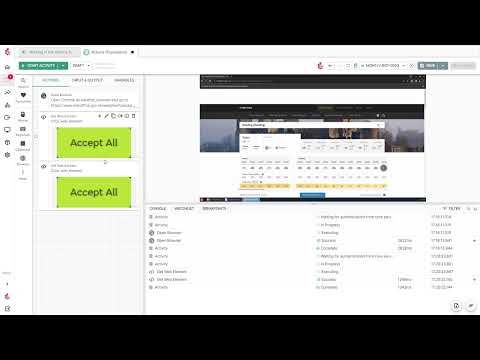 ActionsA simple look into how actions can be used in automation, including Open Browser, Get Web Element, and Set Datastore Variable.
 DatachipsLearn how to use data chips to set variables and dynamically drive automation tasks.
 BreakpointsDiscover how breakpoints help in debugging and refining automation.
 ConsoleLearn how to use the console for debugging and monitoring automation.
Lesson 3
Working with the App Designer
A stroll through App Designer Park.
5 videos
 App Designer Summary & TourGet a tour of the tools available for building websites and applications.
 LayoutsDesign and arrange content using various layouts in the app designer.
 Content ComponentsLearn how to use content components like text and images to build your app.
 Form ComponentsForm components in a nutshell.
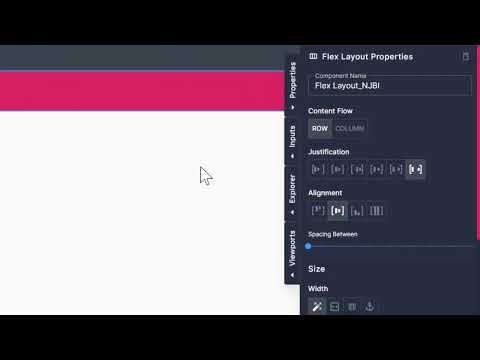 BlocksLearn how to use blocks to create reusable elements.
Lesson 4
Configuring your App
A brief introduction to creating Apps in Toca.
4 videos
 ThemingAn overview of theming to enhance the look and feel of your apps.
 ViewportsUnderstand the basics of viewports and their role in responsive design.
 (Basic) User AuthenticationImplement user authentication to ensure secure access to your app.
 Deploying AppsDiscover the steps to publish your app online.
Lesson 5
Building an Automation Project
An introduction to building your project from the ground up.
4 videos
 WorkflowsExplore the steps to build and execute workflows for automated task handling.
 DatastoresLearn how to use datastores to store, manage, and access your automation data.
 SchedulesExplore how to configure schedules for executing workflows at specified times.
 Agent (Bot)Discover how agents (bots) can automate repetitive tasks and workflows.
Lesson 6
Putting it together
Five worked examples, from a calculator bot to a blog app.
5 videos
 Automating the CalculatorDiscover a use case for automating the calculator.
 Get World Population DataExplore a use case for automating the daily collection of population statistics.
 Simple Landing Page AppLearn how to create a basic landing page using the app designer.
 Blog AppSee how to build and manage a blog app with this use case.
 Linking Apps & Automation with Forms & ListenersExplore how to use forms and listeners to link apps with your automation projects.